What if the two tools every DevOps beginner argues about were never meant to compete? The Docker vs Kubernetes debate dominates online forums, YouTube comments, and interview prep threads. But here is the truth — they solve completely different problems, and understanding that difference will save you months of confused learning.
What Is Docker and Why Should You Learn It?
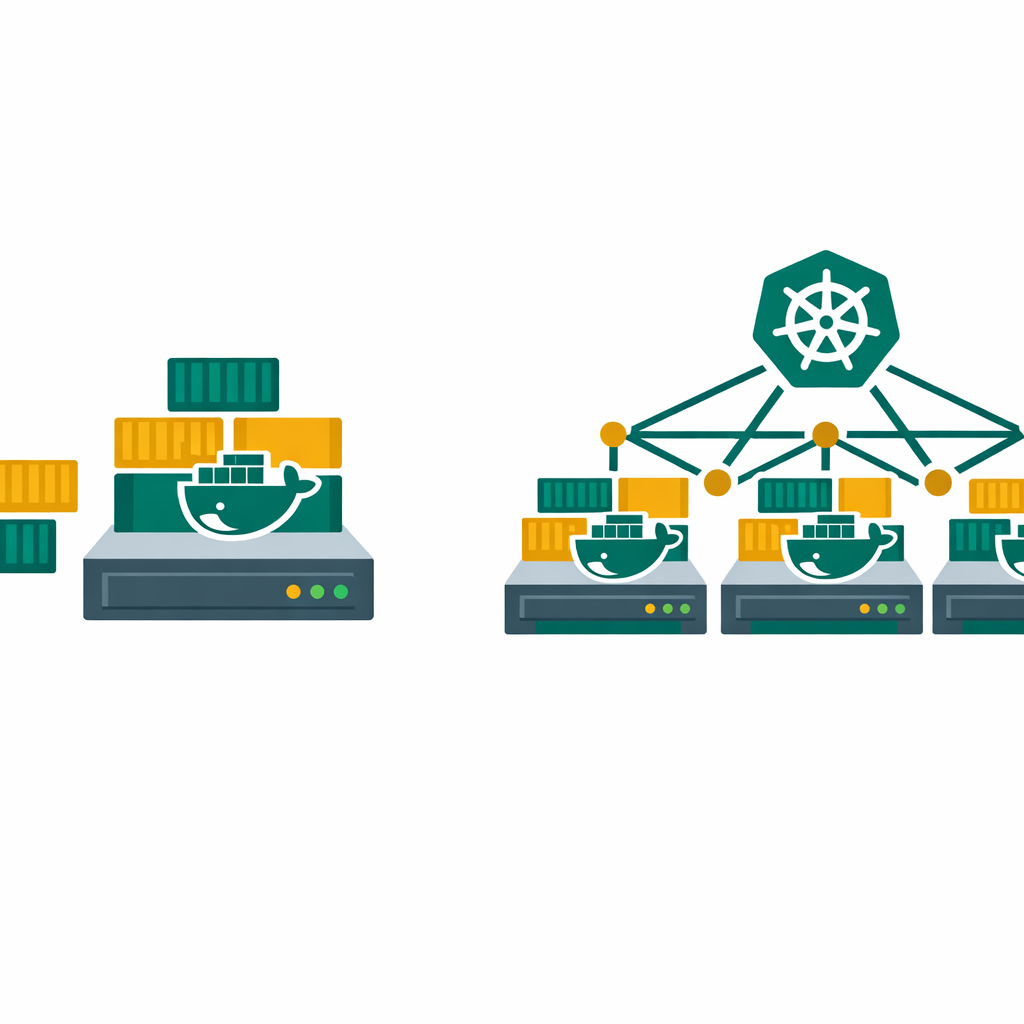
Docker is a containerization platform that packages your application along with all its dependencies, libraries, and configuration files into a single portable unit called a container. That container runs the same way on your laptop, on a test server, and in the cloud. Understanding Docker is the first step to making sense of the Docker vs Kubernetes discussion.
Before Docker, developers constantly hit the “it works on my machine” problem. An application running perfectly in development would crash in production because of different operating system versions, missing libraries, or conflicting configurations. Docker eliminates this by creating an isolated, consistent environment for every application.
Here is what Docker does well. It builds container images from a simple Dockerfile. It runs containers locally for development and testing. It shares images through Docker Hub or private registries. It gives developers a fast, lightweight alternative to virtual machines.
Docker is where most beginners should start. The learning curve is gentle, the documentation is excellent, and you can have your first container running in under 10 minutes.
What Is Kubernetes and When Do You Need It?
Kubernetes — often shortened to K8s — is a container orchestration platform originally developed by Google. While Docker builds and runs containers, Kubernetes manages, scales, and monitors those containers across multiple servers.
Imagine you have 50 Docker containers running your application across 10 servers. Now ask yourself these questions. What happens when one container crashes? How do you distribute traffic evenly? How do you scale up during a traffic spike and scale down when it passes? How do you deploy a new version without downtime?
Kubernetes answers all of these. It automatically restarts failed containers (self-healing), distributes network traffic across healthy instances (load balancing), scales containers up or down based on CPU and memory usage (auto-scaling), and performs rolling updates so users never experience downtime.
You do not need Kubernetes for a single-server application or a side project. But the moment you run multiple containers across multiple machines in production, Kubernetes becomes the standard tool for the job. This is where the Docker vs Kubernetes question shifts from “which one” to “how do I use both.”
Docker vs Kubernetes: Key Differences Explained
The core confusion in the Docker vs Kubernetes debate comes from treating them as alternatives. They are not. Docker creates containers. Kubernetes orchestrates them. Most production environments use both together.
Scope. Docker focuses on building and running individual containers on a single host. Kubernetes manages clusters of containers across multiple hosts.
Scaling. Docker can run multiple containers on one machine using Docker Compose. Kubernetes scales containers automatically across an entire cluster of machines based on real-time demand.
Self-healing. If a Docker container crashes, it stays crashed unless you manually restart it or set up restart policies. Kubernetes detects failed containers and replaces them automatically without any manual intervention.
Networking. Docker provides basic networking between containers on the same host. Kubernetes offers built-in service discovery, DNS resolution, and internal load balancing across the entire cluster.
Complexity. Docker is simple to set up — install it and start running containers. Kubernetes requires understanding clusters, nodes, pods, services, deployments, and YAML configuration files. The learning curve is significantly steeper.
Docker vs Kubernetes — What Should You Learn First?
Start with Docker. This is not debatable.
Kubernetes is built on top of containerization concepts. If you do not understand how containers work, how to write a Dockerfile, how to build images, and how to manage volumes and networks — Kubernetes will feel overwhelming.
Here is the recommended Docker vs Kubernetes learning path that works for most beginners:
Phase 1 — Docker fundamentals (2-3 weeks). Install Docker. Build your first image. Run containers locally. Learn Docker Compose to manage multi-container applications. Containerize a simple web application.
Phase 2 — Docker in practice (2-3 weeks). Push images to Docker Hub. Set up a CI/CD pipeline that builds and pushes Docker images automatically. Understand multi-stage builds to optimize image sizes. Learn about container security basics.
Phase 3 — Kubernetes basics (3-4 weeks). Install Minikube or use Docker Desktop’s built-in Kubernetes. Learn pods, services, and deployments. Deploy your Docker application on a local Kubernetes cluster. Understand YAML manifests and kubectl commands.
Phase 4 — Kubernetes in production (ongoing). Explore managed services like Amazon EKS, Azure AKS, or Google GKE. Learn Helm charts for package management. Understand namespaces, RBAC, and network policies for security.
5 Docker vs Kubernetes Mistakes Every Beginner Makes
These Docker vs Kubernetes mistakes slow down almost every beginner. Avoid them and you will progress much faster.
If you cannot containerize an app with Docker, Kubernetes will only add confusion. Master Docker first, then move up.
A personal blog or portfolio site does not need Kubernetes. Docker Compose on a single server handles small projects perfectly.
Running containers as root, using unverified base images, and skipping vulnerability scans are common beginner mistakes that create real security risks.
Both Docker Compose and Kubernetes rely on YAML files. A single indentation error can break your entire deployment. Take time to learn YAML syntax early.
You cannot learn Docker or Kubernetes from videos alone. Set up a local environment, break things, fix them. Hands-on practice is the only way to build real skills.
Docker vs Kubernetes in Real Projects — How They Work Together
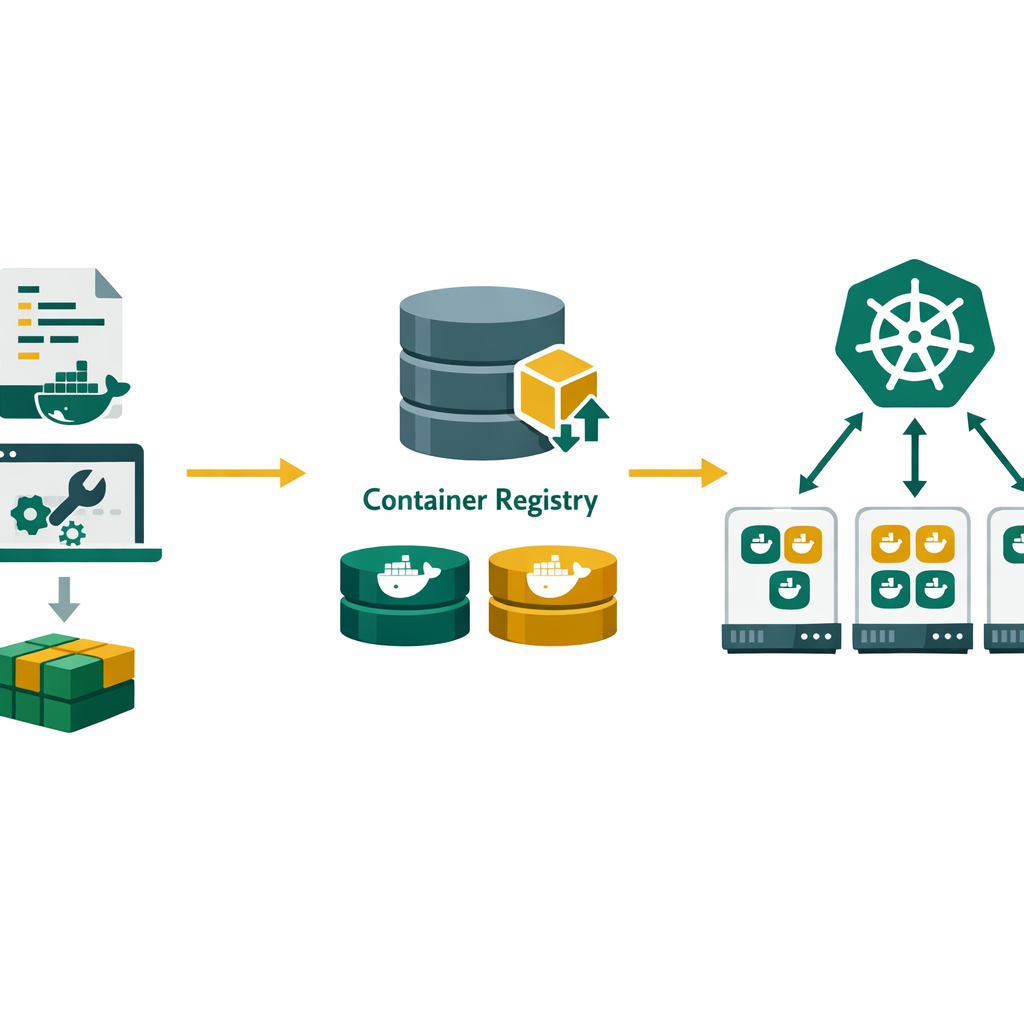
In real production environments, Docker vs Kubernetes is not an either-or choice — they work together in a clear pipeline.
A developer writes code and creates a Dockerfile that defines the container. The CI/CD pipeline builds the Docker image, runs tests, and pushes the image to a container registry like Docker Hub, Amazon ECR, or Azure Container Registry. Kubernetes then pulls that image and deploys it across a cluster of nodes, handling scaling, load balancing, and self-healing automatically.
This is the standard workflow at most tech companies in 2026. Whether you are at a startup running 5 microservices or at an enterprise managing hundreds, the Docker-to-Kubernetes pipeline is the backbone of modern cloud-native application delivery.
apiVersion: apps/v1
kind: Deployment
metadata:
  name: my-web-app
spec:
  replicas: 3
  selector:
    matchLabels:
      app: my-web-app
  template:
    metadata:
      labels:
        app: my-web-app
    spec:
      containers:
      - name: web
        image: myregistry/my-web-app:v1.2.0
        ports:
        - containerPort: 8080
        resources:
          limits:
            cpu: "500m"
            memory: "256Mi"
Docker vs Kubernetes Skills and Your DevOps Career
Container skills are no longer optional in DevOps. Job listings in 2026 consistently list Docker and Kubernetes as must-have skills, alongside CI/CD pipelines, cloud platforms, and infrastructure as code tools like Terraform. Knowing the Docker vs Kubernetes differences gives you an edge in technical interviews.
If you are just starting your DevOps journey, here is how these tools fit into the bigger picture. Docker teaches you containerization — a foundation for everything else. Kubernetes teaches you orchestration — how to run applications at scale. Together with CI/CD knowledge, cloud platforms like AWS or Azure, and infrastructure as code, they form the complete DevOps skill set that employers pay a premium for.
One of the most common mistakes I see in my training sessions is students trying to learn everything at once. Focus on Docker first, get comfortable, then layer on Kubernetes. Build a real project with both. That portfolio project will speak louder than any certification in your next interview.
Learn Docker, Kubernetes, and Cloud — Hands On
Bhanu Prakash teaches cloud computing and DevOps with real-world projects, container labs, and deployment exercises that prepare you for both certifications and job interviews.
Official Resources
- Docker Official Getting Started Guide
- Kubernetes Official Tutorials
- Azure Kubernetes Service (AKS) Documentation