You’re staring at an IP address during a practice lab. Someone says “subnet it into four networks.” Your mind goes blank. If you’ve ever wondered what is subnetting and why it makes networking students panic, you’re not alone. Almost every CCNA aspirant hits this wall early — and the good news is that almost everyone overcomes it once the concept clicks.
What Is Subnetting and Why Does It Matter?
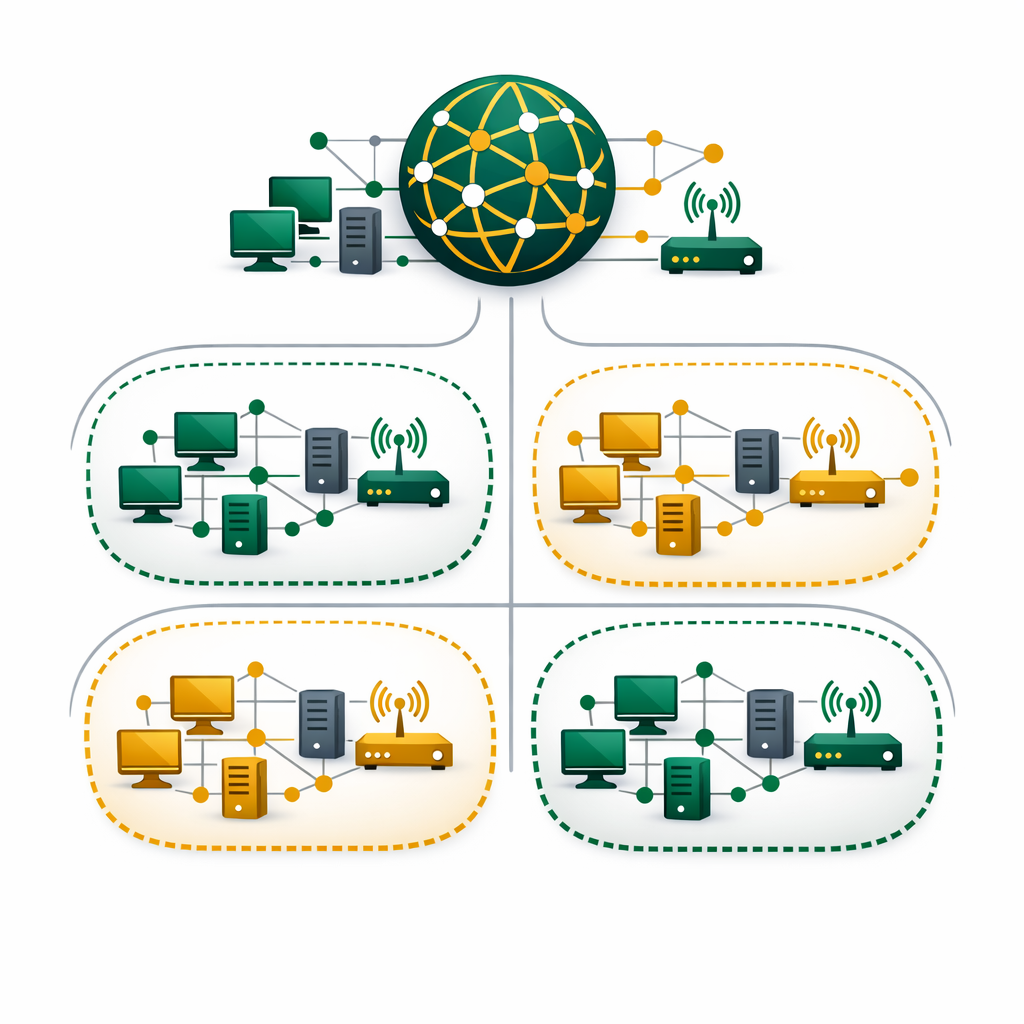
Subnetting is the process of splitting one large network into smaller, more manageable pieces called subnets. Think of it this way — a company with 500 employees doesn’t put everyone in one giant room. Instead, it creates departments. Similarly, subnetting does the same thing for IP networks.
Every device on a network gets an IP address. Without subnetting, all devices share the same broadcast domain. That means every message reaches every device, even when it shouldn’t. As a result, performance drops and security weakens. Because of this, subnetting solves both problems at once.
Here’s why understanding what is subnetting matters for your career. Network engineers use subnetting every single day. More importantly, it appears on the CCNA 200-301 exam as one of the most heavily tested topics. Beyond exams, real-world cloud environments like Azure Virtual Networks and AWS VPCs also rely on subnetting to isolate workloads.
IP Addresses and Subnetting — The Basics You Need First
Before you can learn subnetting, you need to understand IP addresses. An IPv4 address is a 32-bit number written as four octets separated by dots. For example, 192.168.1.10 is a common private IP address.
Each octet contains 8 bits, and each bit is either a 0 or a 1. As a result, each octet holds a value between 0 and 255. To put it simply, an IP address has two parts — the network portion (which identifies the network) and the host portion (which identifies the specific device).
IP Address:   192.168.1.10
Binary:       11000000.10101000.00000001.00001010

Network part: 192.168.1    (first 3 octets)
Host part:    .10          (last octet)
IP addresses fall into classes — Class A, B, and C are the most common. Class A supports millions of hosts per network, while Class C supports only 254. However, classful networking wastes addresses. This is where subnetting steps in to use IP space more efficiently.
Keep in mind that modern networks use CIDR (Classless Inter-Domain Routing) instead of rigid classes. CIDR lets you define custom subnet sizes using a prefix like /24 or /26. Therefore, you’ll see this notation everywhere in cloud platforms and the CCNA exam. Understanding CIDR is essential before you start any subnetting exercise.
Understanding Subnetting With Subnet Masks
A subnet mask tells your device which part of an IP address belongs to the network and which part belongs to the host. In other words, it works like a filter. The mask uses 1s for the network bits and 0s for the host bits.
For example, the subnet mask 255.255.255.0 means the first 24 bits identify the network. Meanwhile, the remaining 8 bits identify hosts. In CIDR notation, you’d write this as /24. This is one of the first subnetting concepts every beginner should master.
Here’s a quick reference for common subnet masks that every subnetting beginner should memorize:
| CIDR | Subnet Mask | Usable Hosts | Common Use |
|---|---|---|---|
| /24 | 255.255.255.0 | 254 | Small office LAN |
| /25 | 255.255.255.128 | 126 | Medium department |
| /26 | 255.255.255.192 | 62 | Small team or VLAN |
| /27 | 255.255.255.224 | 30 | Server subnet |
| /28 | 255.255.255.240 | 14 | Point-to-point links |
| /30 | 255.255.255.252 | 2 | Router-to-router link |
Notice how each step “borrows” one more bit from the host portion. That doubles the number of subnets but halves the number of hosts per subnet. Essentially, this trade-off sits at the heart of every subnetting decision.
How Subnetting Calculations Work — Real Examples
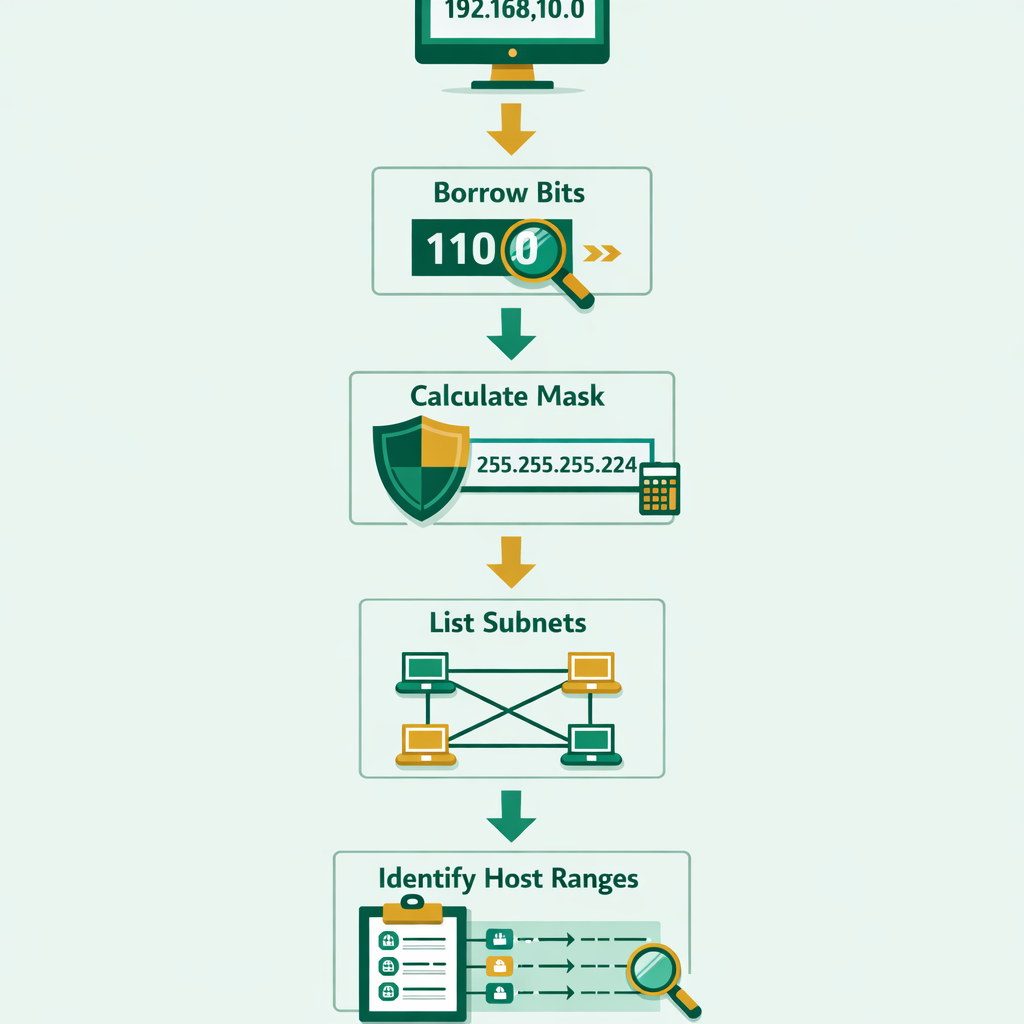
Let’s walk through a practical subnetting problem. Your company has the network 192.168.10.0/24 and needs four separate subnets for four departments.
Step 1 — Find how many bits to borrow. You need 4 subnets. Since 2² = 4, you borrow 2 bits from the host portion. As a result, your new prefix becomes /26 (24 + 2 = 26).
Step 2 — Calculate the new subnet mask. A /26 gives you 255.255.255.192. To find the block size, subtract 192 from 256. That means each subnet jumps by 64.
Step 3 — List your subnets. Starting from 0 and adding 64 each time:
Subnet 1: 192.168.10.0/26    → Hosts: .1 to .62    → Broadcast: .63
Subnet 2: 192.168.10.64/26   → Hosts: .65 to .126  → Broadcast: .127
Subnet 3: 192.168.10.128/26  → Hosts: .129 to .190 → Broadcast: .191
Subnet 4: 192.168.10.192/26  → Hosts: .193 to .254 → Broadcast: .255
Each subnet now supports 62 usable host addresses. The first address in each range is the network address, and the last is the broadcast address — neither can be assigned to a device. Because of this rule, the usable count is always 2ⁿ − 2, where n equals the number of host bits.
In practice, cloud platforms like Azure use subnetting inside Virtual Networks to separate web servers from databases. Similarly, AWS VPCs rely on subnets to control traffic flow between public and private resources. What this means is that subnetting isn’t limited to traditional LANs — it’s a core cloud skill too.
Common Subnetting Mistakes Beginners Make
Even after understanding the concept, beginners make predictable subnetting errors. Here are the most frequent ones — and how to avoid them.
Every subnet loses 2 addresses — one for the network ID and one for broadcast. A /26 has 64 addresses but only 62 usable hosts.
A subnet mask of 255.255.255.192 has a wildcard of 0.0.0.63. Access control lists (ACLs) on Cisco routers use wildcard masks — not subnet masks.
If Subnet 1 ends at .63 and Subnet 2 starts at .60, you’ve created an overlap. Always verify that one subnet’s broadcast address comes right before the next subnet’s network address.
Starting your calculation from the wrong network address leads to every subsequent subnet being incorrect. Always confirm the original network ID first.
Many beginners try shortcuts without understanding binary math. When shortcuts fail on tricky exam questions, binary skills save you. Practice converting octets to binary daily.
Where Subnetting Shows Up in the Real World
Subnetting isn’t just an exam topic — it powers every modern network you interact with. Here’s where you’ll encounter subnetting in real jobs.
Corporate LANs: Large companies divide their network by department. For example, the accounting team gets one subnet while the development team gets another. This separation limits broadcast traffic and adds a layer of security between groups.
Cloud environments: Both AWS and Azure require you to define subnets when setting up virtual networks. For instance, an Azure VNet might use a /16 address space split into /24 subnets for web, app, and database tiers. That’s why understanding what is subnetting becomes essential the moment you enter cloud engineering.
Home networks: Even your home router uses a default subnet (usually 192.168.1.0/24). When you connect your phone, laptop, and smart TV, they all receive addresses within that subnet. In practice, the router’s DHCP server assigns them automatically.
Data centers: Network architects use subnetting to split large address blocks into isolated zones for different clients or services. Proper subnetting here directly affects performance, security, and compliance. On the other hand, poor subnetting can cause IP conflicts and routing failures that take hours to debug.
Subnetting Practice Tips for CCNA Aspirants
Getting good at subnetting requires repetition — there’s no way around it. However, smart practice beats random practice every time. Here are five proven methods that actually work.
1. Master the powers of 2. Memorize this sequence: 2, 4, 8, 16, 32, 64, 128, 256. Every subnetting calculation uses these numbers. Once they’re automatic, your speed doubles.
2. Use the “256 minus mask” shortcut. To find the block size, subtract the interesting octet from 256. For a /26 mask (255.255.255.192), the block size is 256 − 192 = 64. In other words, this shortcut works for every subnetting scenario you’ll face.
3. Practice with Cisco Packet Tracer. Download Cisco Packet Tracer for free. Then build a small network, assign subnets, and test connectivity using the ping command. Hands-on practice builds confidence faster than reading alone.
4. Take timed quizzes daily. Websites like SubnettingPractice.com offer random subnetting problems you can solve against a timer. Aim for under 30 seconds per problem before your exam.
5. Draw it out on paper. For every practice problem, sketch the network, label each subnet range, and identify usable hosts. As a result, visual learners retain subnet boundaries much better through diagrams than through mental math alone.
At the same time, don’t ignore IPv6 subnetting. The CCNA v1.1 exam now covers IPv6 addressing. While IPv6 subnetting follows a different structure (using /64 prefixes), the core concept of dividing networks into smaller parts remains identical. Therefore, learning IPv4 subnetting first gives you the foundation to handle IPv6 with ease.
What to Learn After You Master Subnetting
Once subnetting clicks, several networking topics become much easier. For example, routing protocols like OSPF rely on subnet information to build routing tables. VLANs use subnets to segment traffic at Layer 2. Additionally, firewall rules — including Azure Network Security Groups — filter traffic based on subnet ranges.
Beyond that, understanding subnetting makes cloud computing concepts far more approachable. When AWS or Azure asks you to define a CIDR block for a VPC or VNet, you’ll know exactly how many hosts each subnet can support. To be clear, subnetting is a skill that follows you from the CCNA exam all the way to senior cloud architect roles.
For CCNA preparation specifically, move from subnetting into these topics next: VLAN configuration, static and dynamic routing (OSPF), ACLs, and NAT. Each one builds on the subnetting knowledge you’ve already gained. This is where your networking career truly starts to take shape.
Build Your Subnetting and Networking Skills
Bhanu Prakash breaks down complex networking topics — from subnetting to CCNA-level routing and switching — into clear, practical lessons you can follow at your own pace. Explore the full course catalog and start learning today.
Official Resources
- Cisco CCNA 200-301 Official Page
- Cisco Packet Tracer — Free Download
- SubnettingPractice.com — Timed Practice Quizzes