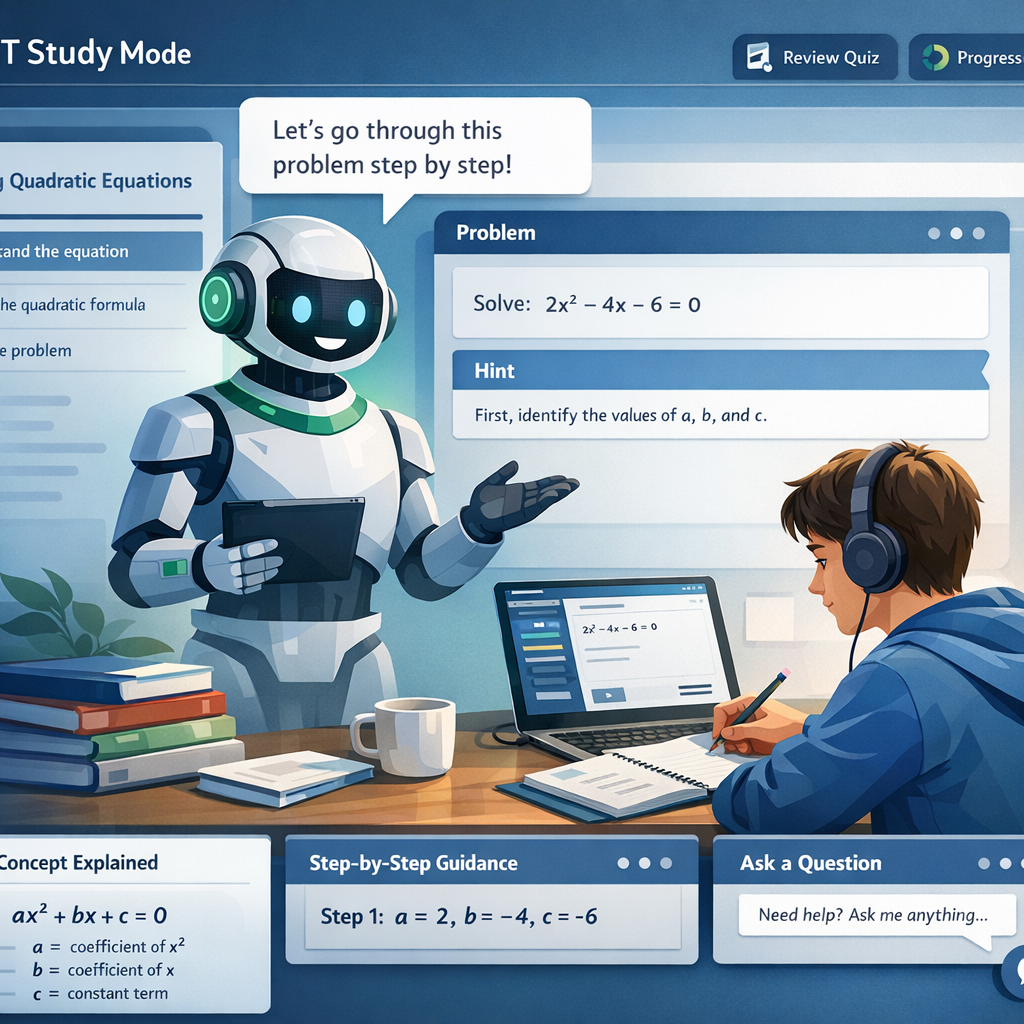
What Is OpenAI Study Mode?
OpenAI Study Mode is changing the way students learn and grow. Indeed, the world of learning is moving at lightning speed—and OpenAI’s new “Study Mode” in ChatGPT is proof of this shift. Launched in July 2025, Study Mode turns ChatGPT from a simple answer machine into your very own digital tutor. So, what makes it special? Let us break it down for you.

OpenAI Study Mode: Your Smart AI Study Helper
The Need for a Smarter AI Study Helper
In fact, students across India and beyond use ChatGPT for help with homework, test prep, and big ideas. As a result, educators worried: were students just copying answers? OpenAI Study Mode aims to fix that by guiding learners through problems step by step. In short, it builds real understanding instead of shortcuts.
How OpenAI Study Mode Works: Step-by-Step
When you switch on Study Mode, ChatGPT does not just give you the final answer. Instead, it asks about your grade level and what you already know. Also, you get gentle prompts, hints, and active questions that nudge you to think deeper at every step. As a result, each answer adapts to your skill level, whether you are a Class 10 student or a future UPSC topper.
Features and Benefits of OpenAI Study Mode
- Interactive Q&A—Like a Real Tutor: Study Mode mimics a personal teacher using Socratic questioning. Instead of saying, “Here’s the answer,” it says, “How would you approach this?” This keeps your brain active and your learning strong.
- Personalized Feedback and Instant Tips: Have notes, syllabi, or a photo of your problem? Then, upload them. Also, Study Mode reads your context and fine-tunes its support. For instance, if you feel stuck, it patiently walks you through the steps until you are confident.
- Learning at Your Own Level: In fact, Study Mode adapts its help based on your responses, skill level, and goals. It asks for your grade or class, understands your background, and builds on its help—from simple to advanced.
- Voice and File Support: Do you prefer talking to typing? Of course, you can use voice dictation, including the advanced voice mode on mobile. Also, you can upload images or PDFs so ChatGPT can base its questions and guidance on your learning materials—perfect for last-minute notes or textbook scans.
Getting Started with Study Mode
- First, log in to ChatGPT (any plan; Edu rollout soon).
- Next, select “Tools” in the prompt window.
- Then, choose “Study and learn” from the drop-down.
- After that, describe what you are working on, your level, and deadlines.
- Also, attach context material (notes, syllabus, images—optional).
- Finally, start chatting—ChatGPT leads with questions and tips.
- In addition, explore voice support for asking and answering out loud.
- Above all, use uploaded class materials for tailored help.
Pro Tips and What to Avoid
Pro Tips for Best Results:
- First, be honest about your level and what you do not know.
- Also, use the feature for practice before exams—especially for subjects like maths, physics, or reasoning.
- Second, do not rush through answers; the more you engage, the deeper you will understand.
- Finally, try uploading your notes or screenshots for more focused support.
What to Avoid:
- Indeed, do not use Study Mode just to get the answer fast; it is designed to slow you down and help you learn.
- Likewise, avoid skipping the self-reflection or “how did you get this answer?” steps—these build real understanding.
Real Student Stories with OpenAI Study Mode
Anjali (Class 12, Delhi): For example, she used Study Mode for physics numericals. Instead of simply showing the formula, ChatGPT asked, “What is the first principle at work here?” So, step by step, Anjali explained her reasoning, corrected mistakes, and gained confidence—all before exam day.
Raj (JEE Aspirant): In contrast, he practiced complex math problems and got instant feedback on where he was stuck. As a result, the supportive tone of ChatGPT made it feel like a friendly coach in his pocket.
In short, these stories show how Indian students can benefit from AI not as a shortcut, but as a true partner in learning.
FAQs on OpenAI Study Mode
How do I enable Study Mode in ChatGPT?
Simply go to Tools > Study and learn in the prompt window.
Is Study Mode free?
Yes, indeed it is available on all ChatGPT plans (Free, Plus, Pro, Team).
Does Study Mode help with competitive exams?
Of course! It is great for step-by-step practice, self-assessment, and exam readiness, including for Indian boards and entrance exams.
Can I upload images of notes or problems?
Yes. Study Mode can use your uploads for personalized help.
Is it safe and private?
Indeed, Study Mode follows ChatGPT’s privacy rules; your memory is optional and only used to improve your study experience.
Will this replace my human tutor?
Not entirely. Yet, it is a great AI tool—best used as a supplement to your studies.
What if my answers are wrong?
In that case, Study Mode gives you hints and guides you toward the correct reasoning, so you can learn from mistakes.
Final Thoughts and Sources
OpenAI Study Mode is a game-changer for students looking to build real understanding—not just finish homework. So, start using it for your next big test or assignment and see your confidence soar!
Sources:
- OpenAI Official Announcement
- Outlook Business
- The Bridge Chronicle
- OpenAI FAQ
- The Higher Education Review
Ready to boost your learning? Try OpenAI Study Mode in ChatGPT and make study time smarter, not harder!
Also Read:
- OpenAI Unveils Study Mode in ChatGPT: A Personal Tutor for Students
- Meta AI Ad Revenue: How AI Helped Meta’s Shares Jump 11%
- India’s Game-Changing V-BAT Combat Drone Deal with Shield AI
- How Uttar Pradesh AI City Works in India – ₹10732 Crore Vision Behind Lucknow’s AI Hub
- Top 5 Cloud Computing Trends 2025 Every Software Trainer Must Know