Your app goes live. Traffic spikes. Your server crashes, users see errors, and you’re awake at midnight scrambling to fix it. AWS Lambda serverless computing exists so this never happens to you. With Lambda, your code runs only when needed. There’s no server to manage, no idle cost, and no manual scaling — ever.
AWS Lambda is a compute service from Amazon Web Services. It runs your code without requiring any servers. You write your function and upload it to Lambda. After that, AWS handles everything else — hardware, the OS, scaling, and patches.
In other words, you focus on your code. AWS handles the infrastructure. That’s the big idea behind AWS Lambda serverless — not that servers don’t exist, but that you never have to touch them.
Think of it like ordering food at a restaurant. You don’t manage the kitchen or hire the chef. You place your order and get your result. Similarly, Lambda takes your code, runs it on demand, and delivers the output automatically.
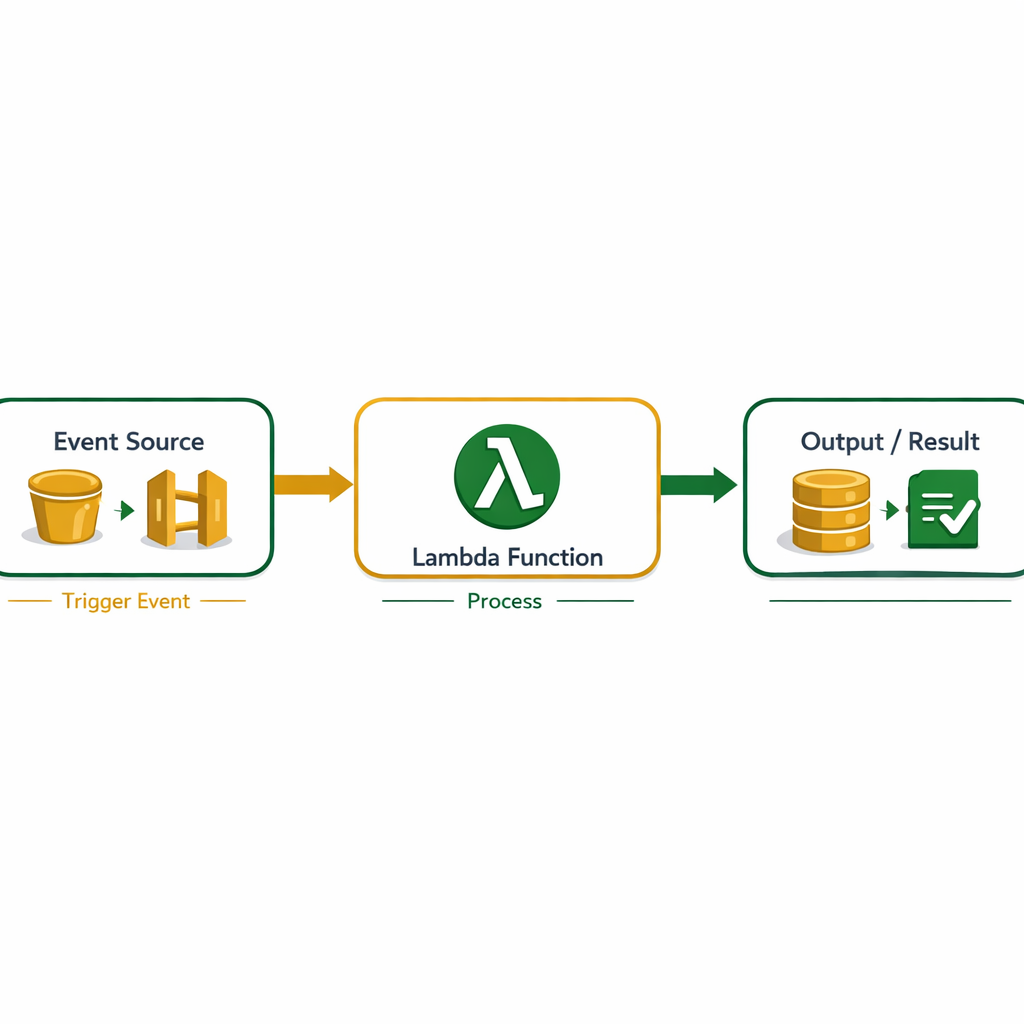
AWS Lambda follows an event-driven model. Your function sits idle until a specific event triggers it. It costs nothing while idle. When the event fires, AWS runs your code and shuts it down. You pay only for the milliseconds it actually ran.
Here’s the step-by-step process. First, an event source fires a trigger. This could be a file uploaded to S3, an HTTP request to API Gateway, a message in SQS, or a scheduled time event. Second, AWS picks up the trigger and starts your Lambda function. Third, your code processes the event — resizes an image, saves to DynamoDB, or sends an email. Finally, Lambda closes the environment and stops charging you.
import json

def lambda_handler(event, context):
    name = event.get('name', 'World')
    message = f"Hello, {name}! Welcome to AWS Lambda."

    return {
        'statusCode': 200,
        'body': json.dumps({'message': message})
    }
This function reads a name from the event and returns a greeting. Connect it to API Gateway and every HTTP request triggers it. As a result, AWS Lambda serverless scales from ten users to ten thousand — without any configuration change on your part.
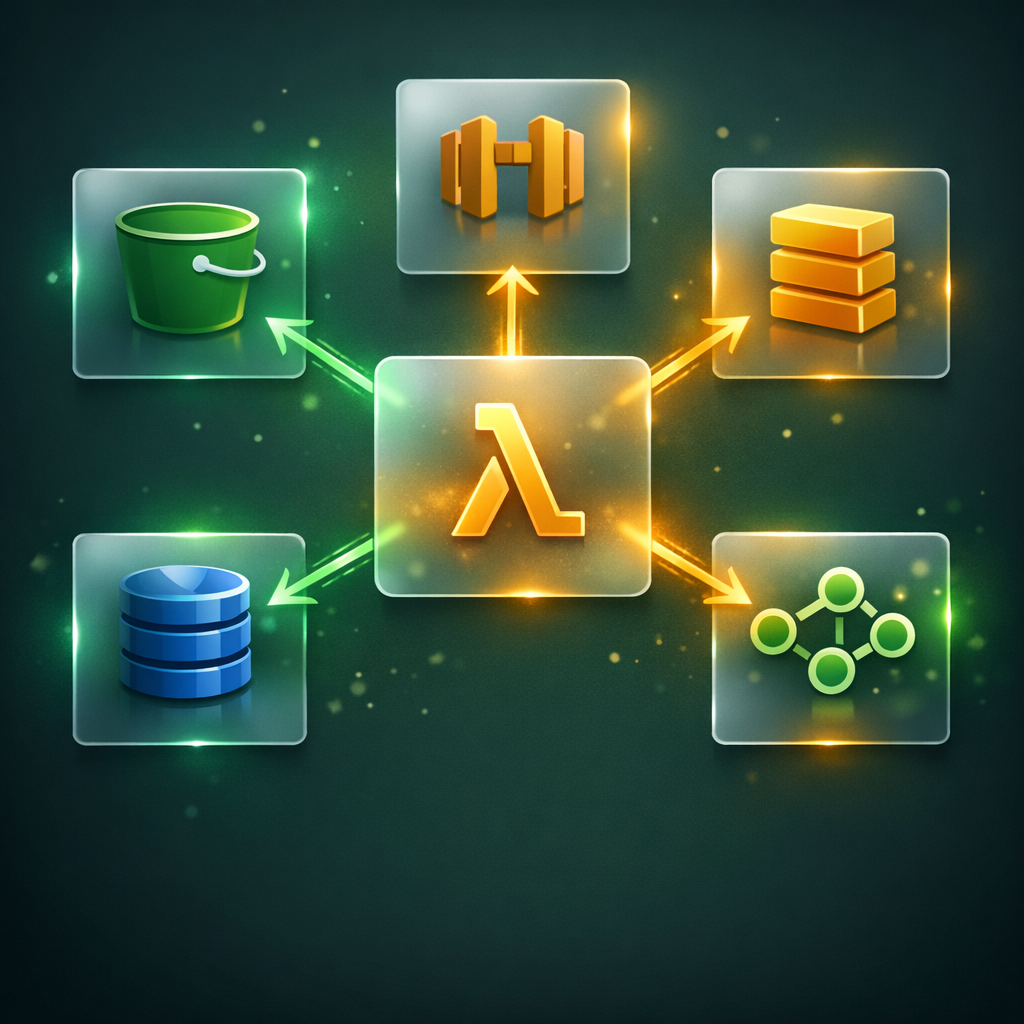
One of the biggest strengths of AWS Lambda is its deep integration with AWS services. Almost every major service can trigger a Lambda function. Here are the most common event sources for beginners.
Amazon S3 — Triggers Lambda when a file is uploaded, changed, or deleted. For example, a photo upload fires a Lambda function that creates a resized thumbnail automatically.
API Gateway — Every HTTP request to your endpoint triggers the linked Lambda function. This is how most serverless REST APIs are built today.
Amazon DynamoDB Streams — Fires Lambda when a database record changes. Additionally, this lets you react to data updates in real time without any polling needed.
Amazon SQS — Processes queue messages in batches. Therefore, AWS Lambda serverless becomes a strong tool for async, decoupled backend workflows.
Amazon EventBridge — Runs Lambda on a cron schedule. For example, trigger a cleanup job every night at midnight — no server required at all.
AWS Lambda uses a pay-per-use model. You’re charged for two things: the number of requests and the execution duration in milliseconds. That means you pay nothing when your function isn’t running.
Here’s what the free tier gives you. Every month, you get one million requests and 400,000 GB-seconds of compute — completely free, permanently. Beyond that, you pay $0.20 per one million requests.
To give you a real idea: run your function 10 million times a month, 200 milliseconds each, with 128 MB of memory. Your total bill stays under a few dollars. In contrast, a dedicated EC2 server running 24/7 for that same occasional job costs far more.
However, Lambda isn’t always cheapest. If your workload runs continuously without stopping, a reserved EC2 instance may be cheaper. Keep in mind that AWS Lambda serverless pricing is designed for intermittent, event-driven tasks — not always-on applications.
This is one of the most common beginner questions. Both Lambda and EC2 run code in the cloud. However, they serve very different purposes — and picking the wrong one costs time and money.
EC2 gives you a virtual server. You pick the OS, configure it, install software, and manage it yourself. It runs 24/7 whether anyone uses it or not. On the other hand, AWS Lambda serverless runs only when triggered. There’s no OS to configure, no server to maintain, and no charge when idle.
EC2 suits long-running workloads — databases, game servers, and apps that need persistent state. Lambda suits short, event-driven tasks — image processing, API responses, notifications, and data transforms. For AWS Solutions Architect beginners, understanding both is important. That said, start with Lambda if you want to build modern cloud apps quickly.
Pairing Lambda with solid AWS IAM best practices ensures your functions carry only the permissions they need — nothing more, nothing less.
AWS Lambda powers production systems across every major industry. Here are practical examples that show exactly where serverless fits in real cloud projects.
Image and video processing — A user uploads a photo to S3. AWS Lambda serverless triggers automatically, resizes it to multiple dimensions, and saves the results back to S3. No server needed. No idle cost.
Serverless REST APIs — Teams build entire backend APIs with Lambda and API Gateway. Each endpoint maps to a separate Lambda function. Because of this, developers deploy and update endpoints independently without touching the rest of the system.
Real-time data processing — Lambda reads from Kinesis or SQS streams. It processes clickstream data, IoT readings, or financial transactions the moment they arrive. As a result, businesses get instant, automated insights without managing any infrastructure.
Scheduled automation — Lambda runs nightly cleanup jobs, generates daily reports, and sends emails via Amazon SES — all without a single dedicated server. Similarly, weekly billing summaries and alerts run automatically on a schedule.
Chatbots and voice assistants — Amazon Alexa skills run entirely on Lambda. Every voice command triggers a function that processes the request and returns a spoken response.
Beyond that, AWS Lambda serverless fits naturally inside CI/CD pipelines — triggering tests, notifications, or deployment steps every time code is pushed.
Lambda’s default timeout is 3 seconds. If your function runs longer, it fails silently. Always set a realistic timeout based on what your function actually does in production.
The first call after an idle period takes longer. AWS must spin up a fresh environment. For latency-sensitive APIs, use Provisioned Concurrency or Lambda SnapStart to cut startup time.
Lambda environments are stateless by design. Don’t store sessions or app state inside the function. Instead, use DynamoDB, S3, or ElastiCache for any data that needs to persist.
Giving Lambda admin-level access is a serious security mistake. Each function needs its own IAM role with only the permissions it requires — nothing more. That’s the least-privilege principle in action.
Without logging, debugging Lambda failures is nearly impossible. Always enable CloudWatch Logs for every function. Write clear log statements inside your code from day one.
Lambda enforces a hard limit of 15 minutes per execution. Video encoding, large ETL jobs, and multi-hour batch work don’t belong in Lambda. Use AWS Fargate or ECS for those workloads instead.
Getting started with AWS Lambda serverless is simpler than most beginners expect. Here’s how to build your first function using the AWS Console in minutes.
First, log into your AWS account and open the Lambda service. Click “Create function” and choose “Author from scratch.” Give it a name like myFirstLambda. Then select Python 3.12 as your runtime — it’s the easiest language for beginners and the most common in AWS training.
Next, you’ll see a built-in code editor with a default function. Replace it with your own logic. Click “Deploy” to save. After that, click “Test,” create a simple JSON test event, and run it. You’ll instantly see the output, duration, and memory used — all in one screen.
At the same time, Lambda creates a CloudWatch log group for your function automatically. That’s where you check logs when something goes wrong. For permissions, give each Lambda function its own IAM role. If you’re new to IAM, read the AWS IAM best practices guide first. Additionally, check out Docker vs Kubernetes to see how containerized workloads compare to serverless in real projects.
If you’re preparing for the AWS Solutions Architect Associate exam, Lambda is a high-priority topic. The exam tests how you design serverless architectures using Lambda with API Gateway, DynamoDB, S3, SQS, and SNS.
More importantly, the exam asks scenario-based questions. You’ll need to choose between Lambda and EC2 for a given workload. Therefore, knowing when to use AWS Lambda serverless — and when not to — matters just as much as knowing the technical details.
Here are the key Lambda concepts the exam covers: execution roles and IAM permissions, event source mappings, concurrency limits and throttling, Lambda Layers for shared code, Lambda SnapStart for Java functions, and the difference between sync and async invocations. Review each one before your exam date.
Our AWS Solutions Architect course covers Lambda, IAM, S3, EC2, VPCs, and every service you need — with hands-on labs and real projects built for working professionals.