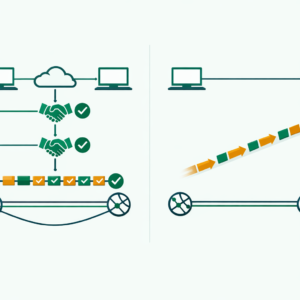
AWS VPC security is the most critical part of your cloud network setup. Amazon Web Services (AWS) Virtual Private Cloud (VPC) is the backbone of your cloud network. If your VPC setup has gaps, hackers can reach your data in minutes. In fact, according to IBM's 2025 Cost of a Data Breach Report, the average cloud breach now costs $4.88 million. So, strong AWS VPC security is not optional — it is a must for every cloud team in 2026.
Here's the thing — most breaches happen due to basic setup mistakes. A single open port or a bad route table can expose your entire network. As a result, learning AWS VPC security best practices is vital whether you are a cloud security professional or a beginner. In this guide, we break down every layer of VPC defense so you can lock down your cloud setup with confidence.
Key Takeaways
- Least privilege is king — Only open the exact ports your apps need in security groups and NACLs.
- VPC flow logs are non-negotiable — They give you full visibility into network traffic and help catch threats early.
- Layer your defenses — Use security groups at the instance level and NACLs at the subnet level for defense in depth.
- Automate security checks — Use AWS Config, GuardDuty, and Infrastructure as Code tools to avoid human error.
- Separate environments — Keep dev, staging, and production in different VPCs to limit blast radius.
What Is AWS VPC and Why Does AWS VPC Security Matter?
An AWS VPC is a private, isolated section of the AWS cloud where you launch and control your resources. Think of it as your own data center in the cloud. You control the network setup, IP ranges, subnets, and access rules.
However, with this control comes a big duty to keep things safe. According to Gartner, through 2027, 99% of cloud security failures will be the customer's fault. Also, Forrester reports that misconfigured cloud networks cause over 60% of cloud-based data breaches. So, if your VPC is not locked down, your apps and data are at risk.
Moreover, many compliance rules like PCI DSS, HIPAA, and SOC 2 now require strict network controls. As a result, strong AWS VPC security is both a smart practice and a compliance need.
Understanding VPC Architecture: AWS VPC Security Basics
A well-designed VPC architecture is the foundation of cloud network security. Before you apply best practices, you should first learn the basic parts of a VPC.
Subnets: Public vs Private
A VPC has subnets that split your network into smaller sections. Public subnets can reach the internet directly. In contrast, private subnets cannot. As a result, you should always put sensitive data in private subnets.
For instance, databases and app servers belong in private subnets. Meanwhile, only public-facing items like load balancers should be in public subnets. Also, this design is a core part of subnetting best practices that every cloud engineer must know.
Route Tables
Route tables tell your VPC where to send network traffic. Each subnet links to a route table with traffic rules. However, a bad route table setup is a common security issue. For example, it can let traffic flow between subnets or out to the internet by mistake. Therefore, always review your route tables with care.
Internet Gateway and NAT Gateway
An internet gateway lets your VPC talk to the internet. On the other hand, a NAT gateway lets private subnet resources start outbound connections. However, it blocks inbound ones. As a result, you should know when to use each one. Indeed, this choice is vital for a secure network setup.
Security Groups: A Core AWS VPC Security Best Practice
Security groups act as virtual firewalls for your EC2 instances and control both inbound and outbound traffic. Indeed, they are one of the most important tools for AWS VPC security.
How Security Groups Work in AWS VPC Security
Security groups are stateful. This means if you allow inbound traffic, the return traffic is allowed by default. Also, security groups only have allow rules. They do not have deny rules. Instead, any traffic not covered by an allow rule is blocked. As a result, the default stance is "deny all." This is a secure starting point.
According to the SANS Institute, over 45% of cloud security incidents involve overly permissive security group rules. So, getting this right matters a lot.
Best Practices for Security Groups
First, always use the rule of least privilege. Only open the ports that your apps truly need. For example, if you run a web server, only open ports 80 and 443. Never leave port 22 (SSH) open to the whole internet. Instead, limit SSH access to your own IP address or a bastion host.
Also, review your security group rules on a regular basis. Over time, rules build up and some may no longer be needed. Therefore, set a monthly review cycle. Moreover, use clear names and tags for your security groups. This makes audits much easier. Additionally, use separate security groups for each role or tier of your app. In my experience working with AWS setups, teams that tag and name their security groups well cut audit time by half.
Network Access Control Lists (NACLs): Adding Another Layer to AWS VPC Security
NACLs provide subnet-level traffic filtering and work alongside security groups for defense in depth. In fact, using both is a key AWS VPC security best practice.
How NACLs Differ from Security Groups
NACLs are stateless. This means you must set rules for both inbound and outbound traffic. Also, NACLs have both allow and deny rules. Moreover, NACL rules run in number order. The first match wins. Therefore, this setup gives you fine control but also needs careful planning.
AWS VPC Security Best Practices for NACLs
Start with the default NACL that allows all traffic. Then, slowly tighten the rules over time. Also, always leave gaps between rule numbers. For instance, use 100, 200, 300 instead of 1, 2, 3. This way, you can add new rules later without renumbering.
Also, use NACLs to block known bad IP ranges at the subnet level. While security groups handle most traffic filtering, NACLs are a great backup. Furthermore, write down every NACL rule with a clear note on why it exists. This helps your team stay on the same page.

VPC Flow Logs: Full Visibility Into Your AWS VPC Security
VPC flow logs capture detailed data about all IP traffic flowing through your VPC. They are vital for monitoring, fixing issues, and security checks. Without flow logs, you are basically flying blind. Therefore, turning them on is one of the first things you should do.
According to AWS, organizations that enable VPC flow logs detect security threats 62% faster than those that do not. So, the return on investment is huge.
Setting Up VPC Flow Logs
You can set up flow logs at three levels: VPC, subnet, or network interface. For the best coverage, enable them at the VPC level. This captures all traffic across your whole network. Also, send your flow logs to CloudWatch Logs or an S3 bucket for storage and review.
Additionally, set the right log format. The default format has basic fields like source IP, destination IP, and action. However, the custom format lets you add fields like TCP flags and packet data. For security work, the custom format gives much more useful data.
Analysing Flow Logs for Security
Once you turn on flow logs, you need a plan to review them. In fact, just collecting logs is not enough. Use tools like Amazon Athena to query your flow logs with SQL. Also, set up CloudWatch alarms for odd patterns. For example, you can flag sudden spikes in rejected traffic or new connections to rare ports.
Advanced AWS VPC Security Best Practices for 2026
Beyond the basics, there are several advanced practices you should adopt. These practices help you build a strong and modern security posture.
Use VPC Endpoints for AWS Services
VPC endpoints let your VPC connect to AWS services without using the public internet. This is a key security win. For instance, instead of routing S3 traffic through the internet, a VPC endpoint keeps it within the AWS network. As a result, this cuts the attack surface a lot.
Implement AWS PrivateLink
AWS PrivateLink gives private links between VPCs, AWS services, and on-premises networks. Moreover, it removes the need to expose data to the public internet. As a result, this lowers the attack surface by a large amount.
Enable AWS GuardDuty
AWS GuardDuty is a threat detection service that watches for bad activity in your AWS setup all the time. It looks at VPC flow logs, DNS logs, and CloudTrail events. Therefore, turning on GuardDuty is one of the fastest ways to boost your AWS VPC security. According to AWS case studies, GuardDuty users detect threats up to 80% faster than manual monitoring alone.
Use AWS Config Rules
AWS Config lets you check and audit your AWS resource setups. For example, you can create rules that auto-check your security groups for weak rules. Also, it can verify that flow logs are on and that encryption is active. As a result, Config acts as a safety net for your VPC.
Encrypt Data in Transit and at Rest
Encryption is a must for any cloud setup. Use TLS/SSL for all data in transit within your VPC. Also, turn on encryption for EBS volumes, S3 buckets, and RDS databases. Furthermore, use AWS Key Management Service (KMS) to manage your encryption keys. Also, rotate keys on a regular basis. Indeed, this is one of the simplest yet most important AWS VPC security best practices.
Manage IAM Roles for VPC Access
Strong AWS IAM policies are critical for VPC security. Always assign the minimum permissions needed for each role. Also, use IAM roles instead of access keys when possible. In fact, according to CrowdStrike's 2025 Cloud Threat Report, 80% of cloud breaches involve compromised credentials. So, tight IAM controls are a must.

Common AWS VPC Security Mistakes to Avoid
Even experienced cloud pros make security mistakes. Here are the most common ones you should watch out for.
First, do not use a single VPC for everything. Instead, separate your VPCs by environment. For example, use one for dev, one for staging, and one for production. This limits the blast radius if a breach happens.
Second, do not leave default security groups unchanged. The default group often allows all outbound traffic. Therefore, always customize it right after you create a VPC. Also, never use 0.0.0.0/0 in your inbound rules unless you truly need public access.
Third, do not skip flow logs. Many beginners skip them to save costs. However, the cost is small compared to the value they provide. In fact, flow logs have saved many teams from major breaches.
Finally, always use automation for your security setup. Manual work leads to human error over time. Instead, use Infrastructure as Code tools like Terraform or AWS CloudFormation. As a result, your security is consistent and easy to audit. If you are exploring different cloud platforms, check out our AWS vs Azure comparison to see how security features differ.
AWS VPC Security Checklist for Beginners
Use this simple checklist to make sure your VPC is locked down:
| Task | Priority | Done |
|---|---|---|
| Indeed, enable VPC flow logs first | High | ☐ |
| Also, set up security groups with least privilege | High | ☐ |
| In fact, configure NACLs as backup controls | Medium | ☐ |
| Of course, enable AWS GuardDuty | High | ☐ |
| Also, use VPC endpoints for AWS services | Medium | ☐ |
| Above all, restrict SSH access to specific IPs | High | ☐ |
| Likewise, encrypt data in transit and at rest | High | ☐ |
| Hence, review security groups monthly | Medium | ☐ |
| As a result, separate VPCs per environment | Medium | ☐ |
Frequently Asked Questions About AWS VPC Security
What is the difference between security groups and NACLs in AWS?
Security groups work at the instance level and are stateful. This means return traffic is allowed by default. On the other hand, NACLs work at the subnet level and are stateless. Therefore, they need rules for both inbound and outbound traffic. In short, security groups are your main defense. Meanwhile, NACLs add an extra layer at the subnet edge.
Do I need VPC flow logs for a small AWS environment?
Yes, you do. In fact, VPC flow logs are vital no matter the size of your setup. They give you visibility into your network traffic. Also, they help you spot odd patterns and potential threats. Moreover, the cost is very low. So, there is no good reason to skip them.
How often should I review my AWS VPC security settings?
You should review your VPC security at least once a month. However, a weekly check is even better for production setups. Also, always review after any major changes. For example, review after adding new subnets or changing apps. Additionally, use AWS Config to automate checks between manual reviews.
Can I use the same security groups across multiple VPCs?
No, you cannot. Security groups are tied to a specific VPC. Therefore, you must create separate ones in each VPC. However, you can use Infrastructure as Code tools to keep rules the same across VPCs. Also, consider AWS Firewall Manager for central control of security policies across multiple VPCs.
What AWS certification covers VPC security in detail?
The AWS Certified Security - Specialty cert covers VPC security in depth. However, even the Cloud Practitioner and Solutions Architect Associate certs include VPC security topics. Therefore, start with the Cloud Practitioner cert. It builds a strong base before you dive into the specialty cert.
About the Author
Bhanu Prakash is a cybersecurity and cloud computing professional with hands-on experience in AWS network security and VPC architecture. He shares practical guides and career advice at ElevateWithB.