Learning cURL commands is the fastest way to test APIs, debug servers, and automate HTTP requests from the terminal. If you have ever struggled to figure out why an API call fails, you are not alone. Indeed, most beginners waste time on complex tools when a single terminal command can do the same job in seconds. In this guide, you will learn 10 essential cURL commands that work on any operating system. As a result, you will test APIs faster than ever before.
Estimated reading time: 13 minutes | Source: ElevateWithB | Author: Bhanu Prakash | Last Updated: March 30, 2026
Key Takeaways
- cURL runs on over 20 billion devices - It ships with macOS, Linux, and Windows 10+, so you already have it.
- 10 commands cover 90% of daily tasks - GET, POST, JSON, auth tokens, and downloads handle most API testing needs.
- Terminal beats GUI tools for speed - One line replaces multiple clicks in Postman or Insomnia for quick checks.
- Verbose mode is your best debugging friend - The -v flag reveals DNS lookups, TLS handshakes, and headers that GUI tools hide.
Table of Contents
- What Is cURL and Why Learn It?
- How to Install on Any OS
- 10 Essential Commands to Practice
- Common Mistakes to Avoid
- cURL vs Postman Comparison
- Summary
- FAQ
What Are cURL Commands and Why Learn Them?
cURL stands for "Client URL" and is a free, open-source tool that transfers data to and from servers. In fact, think of it as a tiny browser inside your terminal. You do not need a fancy app to test an API. Instead, you open your terminal, type one line, and see the raw response.
Also, cURL supports HTTP, HTTPS, FTP, and over 25 other protocols. According to the curl project, this tool runs on over 20 billion devices worldwide. Indeed, it powers cars, routers, mobile phones, smart TVs, and medical devices. Of course, every major operating system ships it by default.
So why should you care? Because every DevOps pipeline, CI/CD system, and cloud platform uses HTTP calls. Have you ever tried debugging a broken API call at 2 AM? In fact, a quick terminal command shows you exactly what went wrong. As a result, you save hours of debugging time.
According to TestDino, the API testing market hit $1.75 billion in 2025 and grows at 22.2% CAGR. Hence, API skills are in high demand. Also, the market is projected to reach $2.14 billion by 2026. Learning these skills gives you a solid foundation for this booming field.
How to Install cURL Commands on Any OS
Most systems already have cURL pre-installed, so you can start testing right away. Indeed, open your terminal and run this command to check:
curl --version
If you see a version number, you are ready. Still, if not, here is how to install it quickly.
macOS and Linux
In fact, cURL comes pre-installed on macOS and most Linux distributions. On Ubuntu or Debian, run sudo apt install curl to install or update it. Similarly, on CentOS or Fedora, use sudo yum install curl instead.
Windows
Also, Windows 10 and later include cURL by default. Open Command Prompt or PowerShell and type curl --version. Still, if it is missing, download it from the official cURL website.
According to the 2025 cURL user survey, 85.7% of respondents use the command-line tool daily. Of course, this shows how essential it is for professional work.
10 Essential cURL Commands for Developers
Here are the 10 most useful commands to practice. Indeed, each one solves a real problem you will face during API testing.
1. Basic GET Request
The simplest command fetches data from a URL:
curl https://api.github.com
Also, this sends a GET request and prints the response. For instance, you can use it to test if an API endpoint is alive. In fact, you can pipe the output to jq for pretty JSON formatting.
2. Save Output to a File
Use the -o flag to save the response:
curl -o response.json https://api.github.com
Indeed, this is useful when responses are large. As a result, you can review the file later without running the command again.
3. Send a POST Request
Also, POST requests send data to a server:
curl -X POST -d "name=Bhanu&role=student" https://httpbin.org/post
The -X POST flag sets the method. In fact, the -d flag sends form data. As a result, the server receives your payload and returns a confirmation.
4. Send JSON Data
Most modern APIs use JSON. Hence, you need to set the content type header:
curl -X POST -H "Content-Type: application/json" -d '{"name":"Bhanu","role":"student"}' https://httpbin.org/post
Indeed, the -H flag adds a custom header. Also, this tells the server you are sending JSON. In fact, it is one of the most common API testing patterns.
5. View Response Headers
Still, headers carry key info like status codes. Use -I to fetch only headers:
curl -I https://elevatewithb.in
As a result, you will see the HTTP status code plus all response headers. Also, if you want the body too, use -i (lowercase) instead.
6. Follow Redirects
Some URLs redirect you to a different page. Indeed, cURL stops at the redirect by default. So, add -L to follow it:
curl -L http://github.com
Without -L, you get a 301 or 302 response. Hence, this flag is useful when testing short URLs or old links.
7. Add Auth Headers
Also, many APIs need a token for access. In fact, you send it using the -H flag:
curl -H "Authorization: Bearer YOUR_TOKEN" https://api.example.com/data
Replace YOUR_TOKEN with your real token. Similarly, you can use -u username:password for basic auth setups. Sound familiar? Indeed, almost every REST API uses one of these methods.

8. Download a File
Need to grab a file from the web? Use -O to download it:
curl -O https://example.com/report.pdf
In fact, this saves report.pdf in your current folder. Also, for large files, add --progress-bar so you see a clean download bar.
9. Set a Timeout
Still, if a server takes too long, your terminal hangs. So, set a limit with --max-time:
curl --max-time 10 https://slow-api.example.com
Indeed, this kills the request after 10 seconds. Also, you can use --connect-timeout to limit only the handshake phase. As a result, both flags help avoid frozen scripts in CI/CD pipelines.
10. Verbose Mode for Debugging
Verbose mode is the single most powerful debugging feature in the terminal. In fact, the -v flag shows the full request and response cycle:
curl -v https://elevatewithb.in
As a result, it shows DNS lookup, TLS handshake, sent headers, and received headers. Indeed, you see every step of the connection. So, when something breaks, this is always where you start.
Pro Tip: Also, combine flags freely. For example, curl -v -L -o output.html https://example.com follows redirects, saves to a file, and shows debug output in one line.
Common cURL Commands Mistakes to Avoid
Even simple tools trip people up. In fact, here are five mistakes I see most often when working with terminal-based API testing.
Forgetting Quotes Around URLs
Indeed, URLs with special characters like &, ?, and = break without quotes. So, always wrap your URL in double quotes. For instance, curl "https://api.example.com?key=value&page=1" works correctly.
Missing the Content-Type Header
Also, sending JSON without -H "Content-Type: application/json" causes 400 or 415 errors. In fact, most API bugs I have debugged come from this single mistake.
Ignoring HTTPS Certificate Errors
Using -k to skip SSL checks is fine for local tests. Still, never use it in production scripts. Indeed, it opens your connection to attacks.
Not Following Redirects
If you get a blank response, the URL probably redirects. So, add -L to fix it. As a result, this saves hours of confusion.
Skipping Verbose Mode
When a request fails, do not guess the cause. Instead, use -v to see exactly what went wrong. In my experience, verbose mode solves 80% of API issues in under a minute.
Security Alert: Also, never paste terminal commands from the internet without reading them first. In fact, some contain hidden flags that send your data to unknown servers.
cURL Commands vs Postman: Which Should You Use?
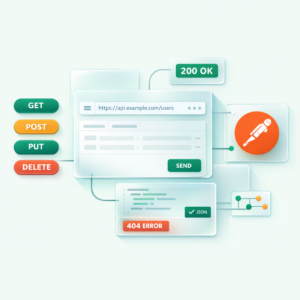
The short answer is: use both tools because they solve different problems. If you have read our Postman for Beginners guide, you might wonder which one wins.
Indeed, cURL is perfect for quick tests, shell scripts, and automation. Also, it runs anywhere a terminal exists. In contrast, Postman gives you a visual interface with saved collections and team sharing. According to Postman's official data, over 35 million developers use it across 500,000 organizations.
Think of it this way. cURL is like a calculator, while Postman is like a spreadsheet. In fact, both handle the same job. One is faster for simple tasks. Similarly, the other works better for complex projects. As a result, many pros use both tools together.
What would you use for a quick API health check at 3 AM? Of course, probably the terminal, because it is always ready.
Whether you are learning network tools or building DevOps skills, mastering these commands is a foundation you cannot skip. Indeed, once you practice all 10, every API testing tool will feel easier.
Summary
In short, cURL is free, pre-installed, and runs on over 20 billion devices worldwide. Also, the 10 commands in this guide cover GET and POST requests, JSON payloads, auth headers, file downloads, timeouts, and verbose debugging. So, start practicing these in your terminal today. As a result, you will handle API testing faster than most developers who rely only on GUI tools.
Frequently Asked Questions About cURL Commands
What are cURL commands used for in development?
In fact, cURL is a command-line tool that transfers data to and from servers using HTTP, HTTPS, and FTP. Also, developers use it to test APIs, download files, debug server responses, and automate HTTP requests in shell scripts.
How do cURL commands compare to Postman?
Indeed, cURL is lightweight, scriptable, and available on every OS by default. In contrast, Postman offers a visual interface and team collaboration features. Also, cURL is better for quick terminal tests while Postman suits complex API suites.
How do cURL commands handle POST requests?
Use curl -X POST -H "Content-Type: application/json" -d '{"key":"value"}' URL. In fact, the -X flag sets the HTTP method. Also, -H adds headers, and -d includes the request body data.
Is cURL installed by default on my computer?
Yes, indeed cURL comes pre-installed on macOS and Windows 10 and later. Also, you can check by running curl --version in your terminal.
Can cURL commands handle authentication and cookies?
Yes, in fact cURL supports basic auth with -u user:pass, bearer tokens with -H "Authorization: Bearer token", and cookies with the -b and -c flags. As a result, it handles testing authenticated endpoints from the terminal.
Editorial Disclosure: This article was researched and drafted with AI assistance, then reviewed, fact-checked, and edited by Bhanu Prakash to ensure accuracy and provide hands-on insights from real-world experience.
About the Author
Bhanu Prakash is a cybersecurity and cloud computing professional with hands-on experience in API testing, DevOps tools, and network debugging. He shares practical guides and career advice at ElevateWithB.
What to Read Next: If you found this helpful, check out our guide on Postman for Beginners: How to Test APIs Like a Pro.
Related Articles
- Postman for Beginners: How to Test APIs Like a Pro
- Nmap for Beginners: Commands Every IT Student Should Practice
- Wireshark for Beginners: Capture and Read Network Packets