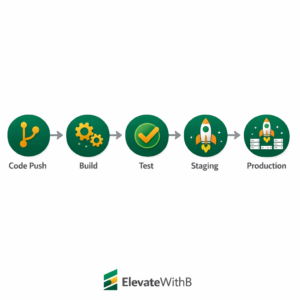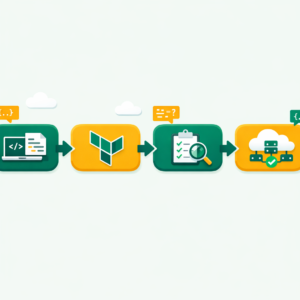
DevSecOps is the practice of integrating security at every stage of the software development lifecycle—from planning and coding to testing and deployment—rather than treating security as a final checkpoint, ensuring applications are built secure from the start.
What Is DevSecOps?
DevSecOps stands for Development, Security, and Operations. It’s a way of building software where security is part of every step — not just the last one. Next, in a traditional setup, developers write code first. Then a separate team checks it for flaws weeks later. That gap creates risk.
With DevSecOps, however, security scans run inside your pipeline from day one. Think of it this way — instead of locking the door after someone breaks in, you build locks into every wall. Thus, the goal is simple: find and fix bugs early, before they reach users.
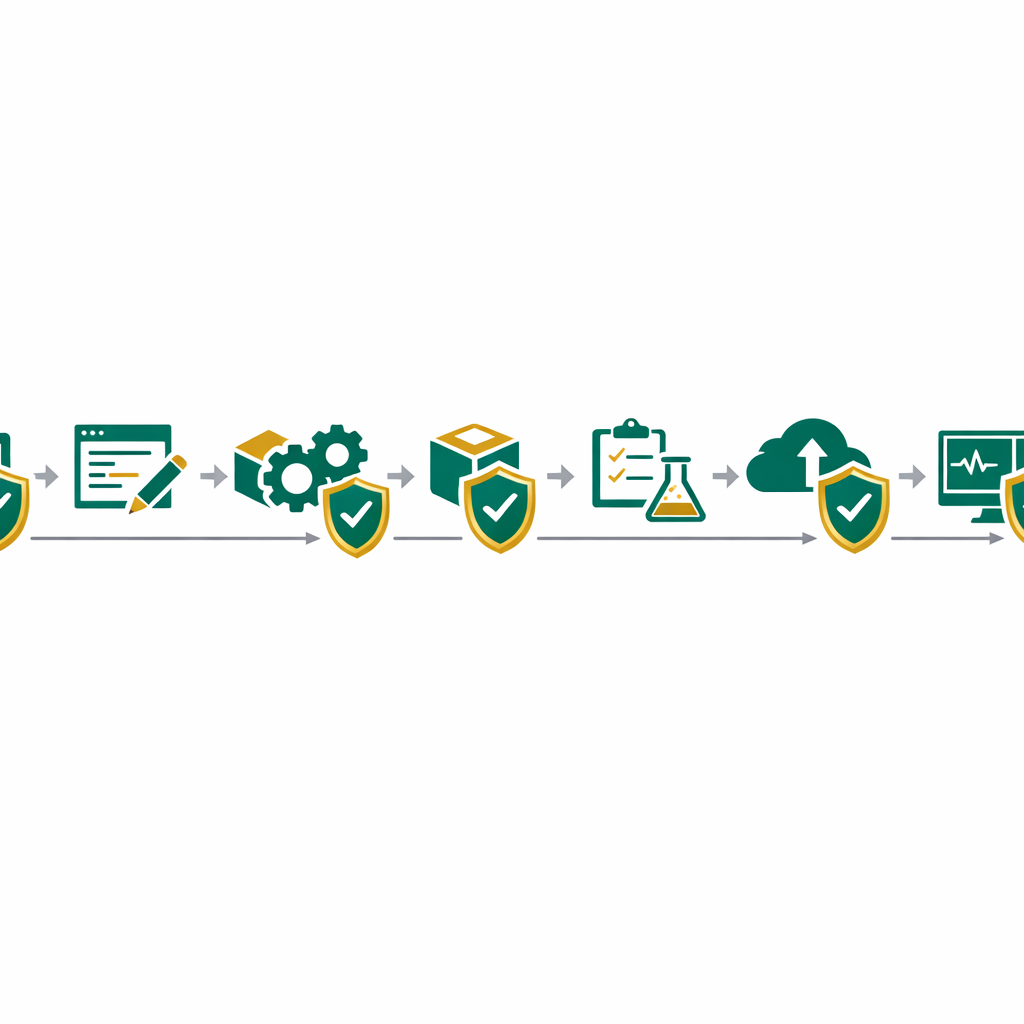
If you’ve worked with CI/CD pipelines, you already know how code moves from commit to deploy. DevSecOps adds security gates at each of those stages. As a result, your code stays safe without slowing down releases.
Key Concept: DevSecOps doesn’t replace DevOps. It extends it by making security a shared job for every team member — not just the security team.
Why DevSecOps Matters in 2026?
Moreover, cyber threats are growing faster than ever. In fact, the average cost of a data breach crossed $4.8 million in 2025, based on IBM’s annual report. Generally, Waiting until the end of a project to check for flaws simply costs too much — both in money and trust.
Furthermore, DevSecOps also helps teams ship code faster. When you catch a bug during coding, the fix takes minutes. If that same bug reaches production, however, it can take days or weeks to patch. Speed and safety go hand in hand here.
Naturally, At the same time, rules around data privacy keep getting stricter. Laws like GDPR, HIPAA, and India’s DPDPA force companies to prove they handle data with care. DevSecOps bakes that proof right into your workflow, so compliance becomes part of the process — not an extra task.
Whether you’re a student learning DevOps or an engineer at a startup, this shift affects you. In fact, security skills now show up in almost every DevOps job posting. Understanding Zero Trust Security alongside DevSecOps gives you a clear edge in interviews.
How DevSecOps Fits Into a CI/CD Pipeline
Essentially, a CI/CD pipeline moves code from your laptop to a live server. DevSecOps adds checkpoints inside that flow. Here’s how each stage works:
Plan and Code Stage
Plus, Before you write a single line, threat modeling helps you spot weak points. Once coding starts, tools scan your code in real time — much like a spell-checker for security. These tools flag hard-coded passwords, weak logic, and risky imports while you type.
Build and Test Stage
After you push code, the pipeline runs SAST (Static Application Security Testing). Then, Specifically, SAST reads your source code without running it. It catches flaws like SQL injection, cross-site scripting, and buffer overflows. Additionally, SCA (Software Composition Analysis) scans every third-party library you import. Since most apps use open-source packages, this step is therefore vital.
Deploy and Monitor Stage
Once code goes live, DAST (Dynamic Application Security Testing) tests the running app from the outside. In other words, it acts like a hacker trying to break in. Meanwhile, runtime tools track unusual behavior — like a sudden spike in failed logins. If something looks wrong, alerts fire instantly.
Key Concept: “Shift left” means moving security checks earlier in the pipeline. The further left you test, the cheaper and faster the fix.

Key DevSecOps Practices for Beginners
Nevertheless, you don t need to master every tool on day one. Instead, start with these five core habits that form the base of any DevSecOps workflow:
1
Automate security scans in your pipeline.
Hence, Never rely on manual reviews alone. Add at least one SAST tool and one SCA tool to your CI/CD flow. This way, every commit gets checked before it merges.
2
Use secrets management.
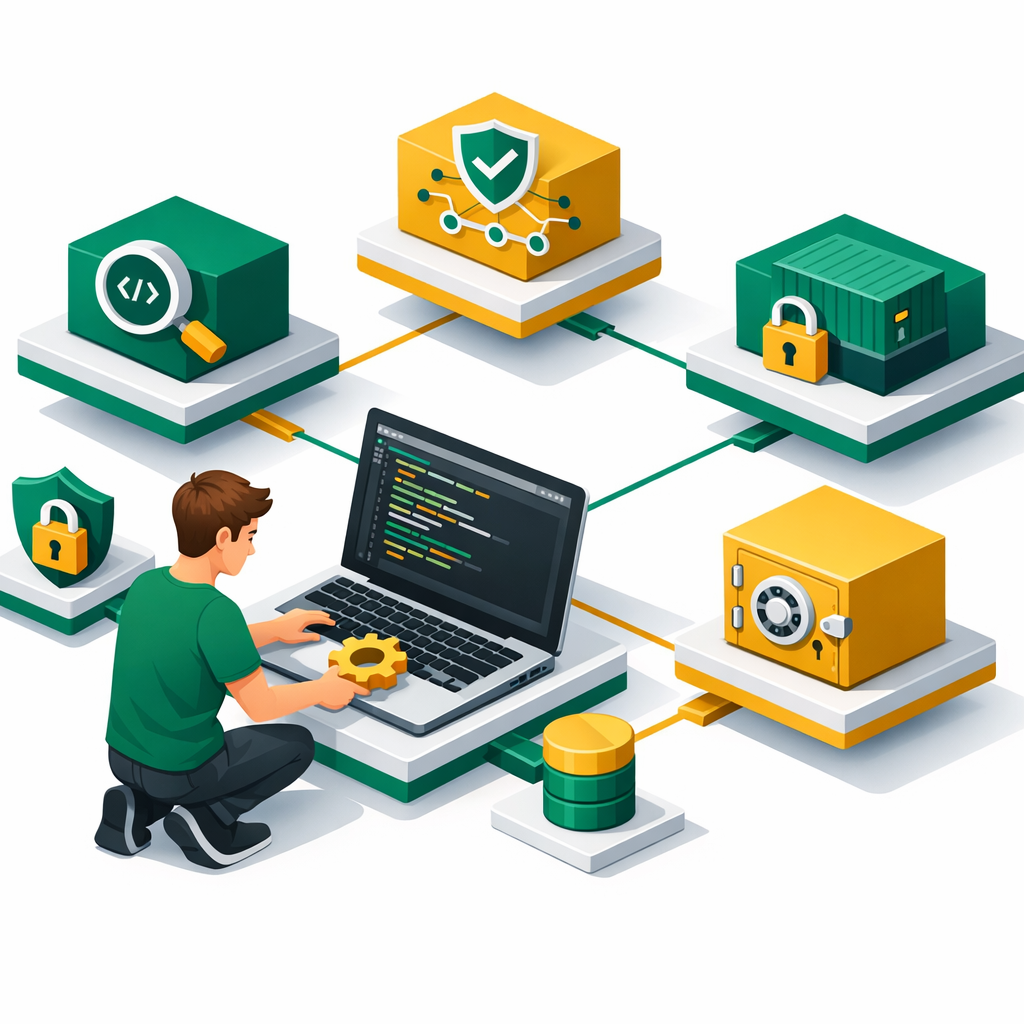
Hard-coded API keys and passwords are one of the top causes of breaches. Basically, tools like HashiCorp Vault or AWS Secrets Manager store them safely. You should also scan for leaked secrets with tools like GitLeaks.
3
Apply the least privilege rule.
Give each user and service only the access it needs — nothing more. Of course, this limits the damage if one account gets hacked. It’s a core part of Zero Trust thinking, too.
4
Keep your containers secure.
If you’re using Docker or Kubernetes, scan your images for known flaws before deploy. Also, Use slim base images, and avoid running containers as root.
5
Review third-party packages.
Open-source libraries save time, but they also bring risk. So, run SCA scans on every build. Even a single outdated library can open the door to attackers.
Security Alert: The Log4Shell flaw in 2021 showed how one weak library can affect millions of apps. Regular SCA scans would have caught it early.
Top DevSecOps Tools You Should Know
Here’s a quick look at the most used tools in 2026 for each stage of the DevSecOps pipeline:
1
SAST (Code Scanning):
SonarQube is one of the most popular open-source options. It scans your code for bugs, flaws, and bad patterns. Yet, Semgrep is another fast, lightweight choice that works in CI/CD easily.
2
SCA (Dependency Scanning):
Snyk scans your open-source packages and container images for known weaknesses. It also suggests fixes with one click. Clearly, OWASP Dependency-Check is a free option that works well too.
3
DAST (Runtime Testing):
OWASP ZAP is the go-to free tool for testing live web apps. It acts like an attacker and sends bad inputs to find weak points in your running app.
4
Secrets Detection:
GitHub Advanced Security includes secret scanning built into your repos. GitLeaks and TruffleHog are also great free options for scanning commit history.
5
IaC Scanning:
If you write Terraform or CloudFormation, tools like Checkov and tfsec scan your configs for security issues before you deploy. Since systems as Code is now standard, this step matters a lot.
Common DevSecOps Mistakes to Avoid
Adding security only at the end
Scanning after deploy defeats the purpose. Instead, add checks at every pipeline stage.
Ignoring false positives
Too many alerts lead to “alert fatigue.” Tune your tools so teams trust the warnings they see.
Skipping container scans
Even official Docker images have known flaws. Next, Always scan images before they go live.
Hard-coding secrets in code
API keys and passwords in your repo are a breach waiting to happen. Use a vault instead.
Not training the whole team
Security isn’t just the security team’s job. Thus, Every dev and ops member needs basic training.
How Do You Start With DevSecOps Today?
You don’t need a big budget or a large team to begin. Here’s a simple path:
1
Learn the basics of CI/CD.
If you haven’t already, read our CI/CD pipeline guide. You need to know how code flows from commit to deploy before you can add security gates.
2
Pick one SAST tool.
Naturally, Start with SonarQube or Semgrep. Add it to your pipeline so every push triggers a scan. Once you see how it works, you’ll spot patterns fast.
3
Add SCA scanning.
Plus, Use Snyk or OWASP Dependency-Check to scan your packages. This catches flaws in libraries you didn’t even write. In practice, this step alone blocks a large chunk of real-world attacks.
4
Set up secrets detection.
Enable GitHub’s secret scanning or run GitLeaks on your repo. Leaked keys are one of the easiest things for attackers to exploit, yet one of the simplest to prevent.
5
Build a security checklist for your team.
Hence, Even a short list — like “no hard-coded keys, scan all PRs, review alerts weekly” — makes a big difference. Above all, make security a habit, not a task you do once a quarter.
Sample GitHub Actions DevSecOps Step
- name: Run SAST Scan
  uses: returntocorp/semgrep-action@v1
  with:
    config: p/owasp-top-ten

- name: Run SCA Scan
  uses: snyk/actions/node@master
  env:
    SNYK_TOKEN: ${{ secrets.SNYK_TOKEN }}
This simple YAML block adds two security gates to your GitOps workflow. Basically, Semgrep checks your code against OWASP’s top ten flaws. Snyk then scans your packages for known weaknesses. Together, they cover two of the biggest risk areas — and the setup takes under five minutes.
Frequently Asked Questions
What is DevSecOps and how is it different from DevOps?
DevSecOps integrates security practices directly into the DevOps pipeline rather than treating security as a separate phase at the end. The key difference is that security testing, code analysis, and compliance checks happen automatically at every stage of development and deployment.
What does shift-left security mean in DevSecOps?
Shift-left security means moving security testing earlier in the software development lifecycle, ideally starting at the coding stage. Instead of finding vulnerabilities after deployment, developers catch and fix security issues while writing code, which is faster and cheaper to remediate.
What is the difference between SAST and DAST?
SAST (Static Application Security Testing) analyzes source code for vulnerabilities without running the application, while DAST (Dynamic Application Security Testing) tests the running application by simulating attacks. Both are essential in a DevSecOps pipeline and complement each other.
What tools are commonly used in a DevSecOps pipeline?
Common DevSecOps tools include SonarQube and Snyk for code analysis, OWASP ZAP for dynamic testing, Trivy for container scanning, and HashiCorp Vault for secrets management. Most CI/CD platforms like Jenkins, GitHub Actions, and GitLab CI have built-in security scanning integrations.
How do beginners start learning DevSecOps?
Start by learning basic DevOps concepts like CI/CD pipelines and containerization, then add security tools one at a time. Practice by setting up a simple pipeline with automated SAST scanning and gradually add DAST, dependency checks, and infrastructure-as-code security scanning.
Ready to Build a Career in DevOps and Security?
Bhanu’s online training covers CI/CD, cloud security, and hands-on DevOps projects — all designed to help you land your first role faster.
Explore CEH Ethical Hacking Training