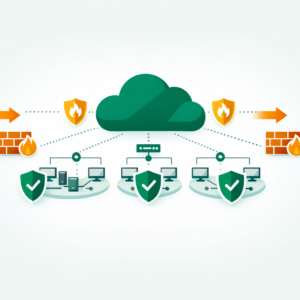
Microsoft Entra ID (formerly Azure Active Directory) is Microsoft’s cloud-based identity and access management service that handles authentication, single sign-on, and multi-factor authentication for organizations using Microsoft 365, Azure, and thousands of other applications.

What Is Microsoft Entra ID?
Microsoft Entra ID is Azure’s cloud-based identity and access management service. Think of it as the front door to every Azure resource. Plus, It controls who can sign in and what they can access. In other words, without it, no user or app can touch your cloud setup.
In simple terms, it’s a phone book plus a security guard. Specifically, it stores user accounts, groups, and roles. Then, At the same time, it checks every login request against your rules. Moreover, if a request looks risky, it blocks access or asks for extra proof.
Before the rebrand, this service was called Azure Active Directory (Azure AD). Microsoft renamed it in 2023 to match the broader Entra product family. The core features didn’t vanish, however. In fact, everything you knew about Azure AD still works — it just lives under a new name and a new admin portal.
Key Concept: Microsoft Entra ID is NOT a local Active Directory server in the cloud. It’s a fully managed SaaS identity platform. On-premises AD uses LDAP and Kerberos, while Entra ID uses OAuth 2.0, SAML, and OpenID Connect.
Why Did Microsoft Rename Azure AD to Entra ID?
The old name caused real confusion. Many beginners assumed Azure AD was the same as on-premises Active Directory. However, it’s not. Basically, Microsoft wanted a clean break, so the Entra brand was born.
There’s also a product strategy behind it. Microsoft Entra now includes more than just identity. For example, it covers network access, permissions management, and verified IDs as well. Azure AD was just one piece — Entra ID is its new name inside that bigger family.
Of course, For the AZ-104 exam, this means you’ll see “Microsoft Entra ID” on every question. The old term “Azure AD” still appears in some docs, although Microsoft is phasing it out. Keep in mind that both names point to the same service for now.
What Are the Key Features of Microsoft Entra ID?
Entra ID packs several features that you’ll use daily as an Azure admin. Here’s what matters most for both real-world work and the AZ-104 exam.
Single Sign-On (SSO)
SSO lets users sign in once and access many apps. They don’t need a fresh password for each tool. So, this saves time and also cuts help desk tickets. In fact, Microsoft says SSO reduces login issues by up to 50%.
Multi-Factor Authentication (MFA)
MFA adds a second layer of proof after the password. It could be a phone code, a push alert, or a fingerprint. Yet, even if a hacker steals the password, they can’t get in without that second factor. This is one of the most tested topics on AZ-104.
Conditional Access
Conditional Access policies act as “if-then” rules for sign-ins. For example: “If a user signs in from outside India, then require MFA.” You can also block sign-ins from risky IP ranges. These policies give you fine-grained control over access.
Role-Based Access Control (RBAC)
RBAC lets you assign roles rather than raw permissions. A “Reader” can only view resources. A “Contributor” can edit them. An “Owner” controls everything. Indeed, This keeps your setup clean because users only get what they need.
Key Concept: RBAC in Entra ID works at four levels — management group, subscription, resource group, and resource. Permissions flow down from parent to child, so a role at the subscription level also applies to every resource group below it.

Microsoft Entra ID vs Azure AD: What Actually Changed?
The short answer? The name and the admin portal. The core service is the same. Still, Your tenants, users, groups, and policies all carried over. Nothing broke during the switch.
However, the admin center got a full redesign. The old Azure AD blade in the Azure portal still works, although Microsoft now pushes the Entra admin center instead. It’s cleaner and also groups identity tools in one place.
Here’s what DID change since the rebrand:
- New licensing tiers — Entra ID Free, P1, and P2 replace the old Azure AD tiers. Same features, new names.
- Entra Permissions Management — a new tool for managing multi-cloud permissions (AWS, GCP, Azure).
- Entra Verified ID — digital identity verification for users outside your org.
- Entra Internet Access / Private Access — identity-based network security tools.
So while the core stays the same, the Entra family adds tools that Azure AD never had. This means more exam topics for you to study.
How Microsoft Entra ID Works (Step by Step)
Here’s what happens every time someone signs in to an Azure resource. Next, Understanding this flow is key for AZ-104.
1
User enters their email and password.
Entra ID checks the details against its directory. Thus, If the match fails, access is denied right away.
2
Conditional Access rules kick in.
Specifically, the system checks the user’s location, device, risk level, and app. Generally, If a policy requires MFA, the user must verify their identity with a second factor.
3
A token gets issued.
Once all checks pass, Entra ID hands the user a security token. This token proves “who they are” and “what they can do.” The app reads this token to grant the right level of access.
4
RBAC takes over.
Plus, the token includes the user’s role assignments. Azure then allows or blocks actions based on those roles. If you’re a Reader, you can view but can’t delete anything.
Azure CLI — Check your Entra ID tenant
az account show --query "{TenantId:tenantId, Name:name}"
az ad user list --query "[].Then, {Name:displayName, UPN:userPrincipalName}" -o table
What Are the Common Mistakes Beginners Make with Microsoft Entra ID?
Most beginners trip on the same issues. Here are the ones I see the most, along with quick fixes.
Confusing Entra ID with On-Prem AD
They’re different products. Entra ID uses modern protocols like OAuth. Hence, On-prem AD uses LDAP and Kerberos. Don’t mix them up on the exam.
Skipping MFA Setup
Many admins leave MFA off for convenience. As a result, this is a top security risk because stolen passwords are the #1 attack vector in cloud breaches.
Giving Owner Role to Everyone
Over-assigning roles is dangerous. Basically, Instead, use the least-privilege principle. Give users only the access they need — nothing more.
Ignoring Conditional Access
Without Conditional Access, every sign-in is treated the same — whether it’s from your office or a random VPN in another country.
Not Using Groups for RBAC
Assigning roles to individual users creates a mess. Of course, always use security groups instead, so you can manage access at scale.
Microsoft Entra ID Best Practices for AZ-104
Whether you’re studying or working in a live Azure setup, these best practices will help you score well on AZ-104 and also build secure systems.
1
Enable MFA for all users.
This is non-negotiable. Also, Microsoft reports that MFA blocks over 99% of account attacks. Start with Security Defaults if you don’t have P1/P2 licenses yet.
2
Use Conditional Access over blanket blocks.
Rather than blocking all external access, create smart rules. For example, allow trusted IPs and require MFA for everything else. This gives you both security and flexibility.
3
Apply the least-privilege principle.
Give users the minimum role they need. Use built-in roles before creating custom ones. Review role assignments quarterly to remove stale access.
4
Monitor sign-in logs.
Yet, Entra ID tracks every login attempt. Check the sign-in logs for failed attempts, risky sign-ins, and unusual locations. You can also set up Zero Trust alerts to catch threats early.
5
Separate admin accounts.
Don’t use your daily account for admin tasks. Clearly, Create a separate admin account with MFA enabled. This limits damage if your main account gets hacked.
Exam Alert: AZ-104 frequently tests Conditional Access policies. Know the difference between “grant controls” (require MFA, require compliant device) and “session controls” (sign-in frequency, app-enforced limits). Many students confuse these two.
How Do You Get Started with Microsoft Entra ID?
Getting hands-on is the fastest way to learn. Here’s a simple path to follow.
1
Create a free Azure account.
Microsoft gives you $200 in credits for 30 days. That’s more than enough to explore Entra ID features. You can sign up at azure.microsoft.com/free.
2
Open the Entra admin center.
Go to entra.microsoft.com. Browse through users, groups, and roles. Create a test user and assign them a Reader role on a resource group.
3
Set up a Conditional Access policy.
Create a rule that requires MFA for all sign-ins outside your country. Test it with your test user. This gives you practical experience that the exam expects.
4
Explore the sign-in logs.
After your test sign-ins, check the logs under Monitoring. You’ll see the IP, device, and result for each attempt. Understanding these logs is essential for both the exam and real-world work.
Thus, If you already understand Azure Network Security Groups, Entra ID is the next logical step. NSGs control network traffic, while Entra ID controls who gets in. Together, they form the core of Azure security.
You should also review AWS IAM Best Practices if you work across clouds. Generally, The concepts are similar — both platforms use roles, policies, and least-privilege access. Learning one helps you master the other.
Frequently Asked Questions
What is Microsoft Entra ID and how is it different from Active Directory?
Microsoft Entra ID (formerly Azure Active Directory) is a cloud-based identity and access management service, while traditional Active Directory is an on-premises directory service. Entra ID is designed for internet-based authentication using protocols like OAuth 2.0 and SAML, whereas Active Directory uses Kerberos and LDAP within a local network.
Why did Microsoft rename Azure AD to Entra ID?
Microsoft renamed Azure Active Directory to Microsoft Entra ID in 2023 to distinguish its cloud identity platform from the on-premises Active Directory and to unify its identity products under the Entra brand. The functionality remains the same; only the name changed.
Does Microsoft Entra ID support Single Sign-On and MFA?
Yes, Entra ID natively supports both Single Sign-On (SSO) and Multi-Factor Authentication (MFA). SSO lets users access multiple applications with one login, and MFA adds an extra verification step to protect against compromised passwords.
Is Microsoft Entra ID covered in the AZ-104 certification exam?
Yes, Microsoft Entra ID is a key topic in the AZ-104 Azure Administrator exam. You need to understand how to manage users, groups, role-based access control, and authentication methods within Entra ID.
Can I use Microsoft Entra ID for free?
Yes, Microsoft Entra ID offers a free tier that includes basic user and group management, SSO for up to 10 apps, and MFA. Premium P1 and P2 plans add advanced features like conditional access policies, identity protection, and privileged identity management.
Master Azure Cloud with ElevateWithB
Bhanu covers Entra ID, Conditional Access, RBAC, and every AZ-104 topic in hands-on online sessions. Get exam-ready with real lab practice and expert guidance.
Official Resources
- What Is Microsoft Entra ID? — Microsoft Docs
- Microsoft Entra Admin Center
- AZ-104 Study Guide — Microsoft Learn