
Zero trust security is a cybersecurity framework built on the principle of ‘never trust, always verify’—meaning no user, device, or application is automatically trusted, even if they’re inside the corporate network, and every access request must be continuously authenticated, authorized, and validated.
What Is Zero Trust Security?
Still, In essence, zero trust security is a framework built on one simple rule: don’t trust anyone by default. Indeed, it doesn’t matter if a user sits inside your office or logs in from a café. Therefore, every single request must be checked before access is granted.
Think of it this way. In contrast, old security models work like a castle with a moat. Specifically, once you cross the drawbridge (the firewall), you can roam freely inside. However, zero trust flips that idea. Instead, it treats every room like it has its own locked door, camera, and ID scanner.
Key Concept: Forrester analyst John Kindervag coined the term “zero trust” in 2010. However, it only went mainstream after Google launched BeyondCorp and NIST released SP 800-207 in 2020.
To put it simply, zero trust security assumes a breach has already happened. As a result, every access request gets treated as if it’s coming from an unknown source. Consequently, your system checks who the user is, scans their device, and limits access to only what’s needed.
Why Zero Trust Security Replaced the Old Model?
The old “trust but verify” model worked when all employees sat in one office. That world doesn’t exist anymore. Here’s why the old approach falls apart today.
1
Remote work is here to stay.
Thus, Nowadays, people now log in from home Wi-Fi, phones, and coffee shops. A single firewall can’t cover all those entry points. Additionally, cloud tools have moved company data outside the old network walls entirely.
2
Attackers already get inside.
According to IBM’s 2025 breach report, the average US breach cost hit $10.22 million. Generally, More importantly, 68% of breaches involved human error. In other words, someone inside the network opened the door by mistake. As a result, perimeter-only security does nothing once a hacker slips through.
3
Cloud changes the game.
When your data lives across multiple cloud platforms, there’s no single wall to defend. Because of this, you need a model that guards data everywhere — not just at the edge.
Exam Alert: CEH v13 and cloud exams often compare perimeter models vs. zero trust. Remember: zero trust assumes the network is already hacked. It checks every request. Traditional models, on the other hand, trust internal traffic by default.
5 Core Principles of Zero Trust Security
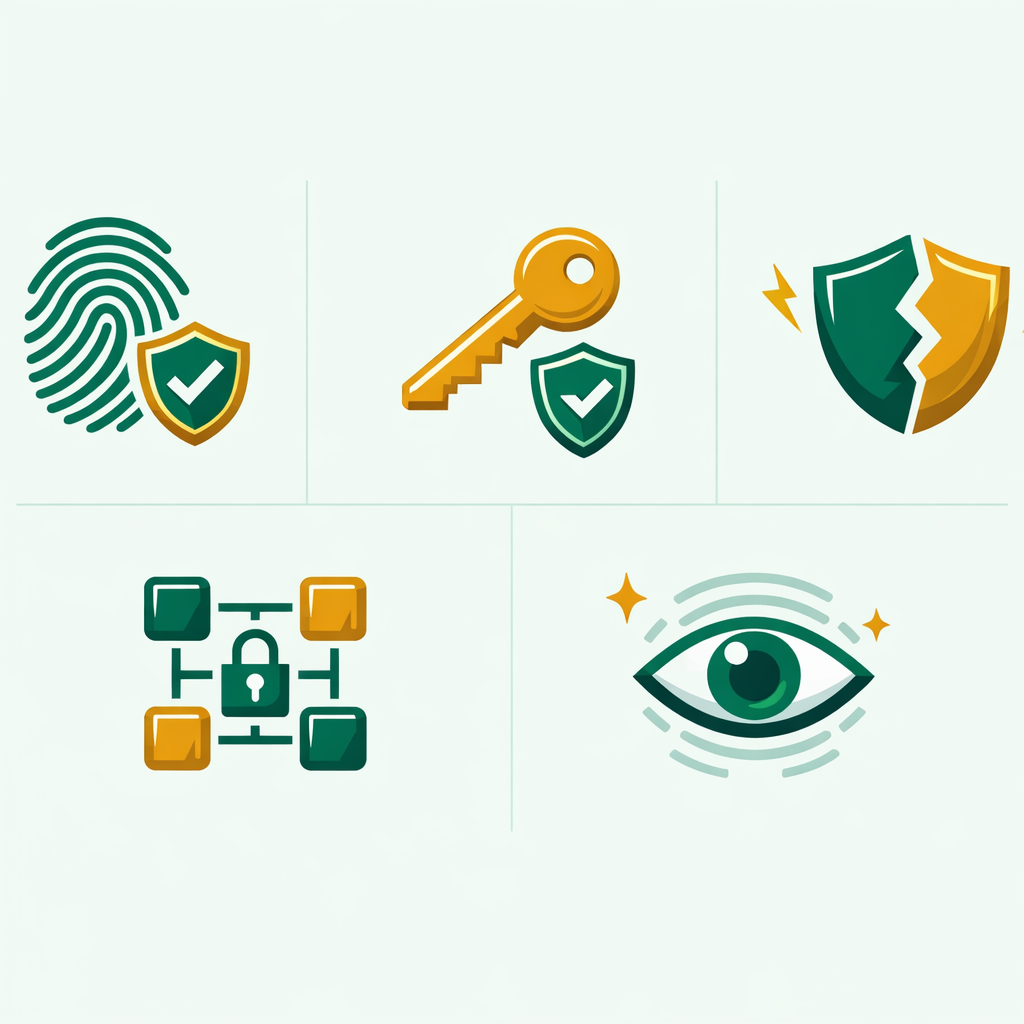
Zero trust isn’t one product you buy. It’s a strategy with five key rules. Together, each one adds a layer of defense to your setup.
1. Verify Every Identity — Every Time
Plus, Every user and device must prove who they are. This goes beyond a simple password. For example, strong zero trust setups use MFA (multi-factor authentication), fingerprints, and risk-based checks. To illustrate, if you log in from a new country at 3 AM, the system flags that request and asks for extra proof. Your IAM policies play a direct role here.
2. Apply Least Privilege Access
Above all, give users only the access they need — nothing more. For instance, a marketing manager doesn’t need access to live servers. Similarly, a developer doesn’t need billing admin rights. As a matter of fact, by limiting access this way, you shrink the damage if one account gets hacked.
3. Assume Breach at All Times
Then, This is the mindset shift that sets zero trust apart. Instead of hoping your walls hold, you plan for the worst. In practice, that means you split your network into zones, encrypt sensitive data, and watch every session in real time.
4. Micro-Segment Your Network
Rather than one big open network, you break it into small locked zones. Hence, What's more, each zone has its own rules. As a result, if a hacker gets into one zone, they can’t hop to others. Azure NSGs are a good real-world example of this in cloud setups.
5. Monitor and Log Everything
Zero trust security needs constant watching. To illustrate, you gather logs from identity tools, devices, traffic, and apps. Then, AI-powered tools scan those logs in real time. For example, if an account starts pulling 10,000 files at midnight, the system catches it fast.
How Zero Trust Security Works in Practice
To put it simply, here’s what happens when someone tries to open a company app in a zero trust setup:
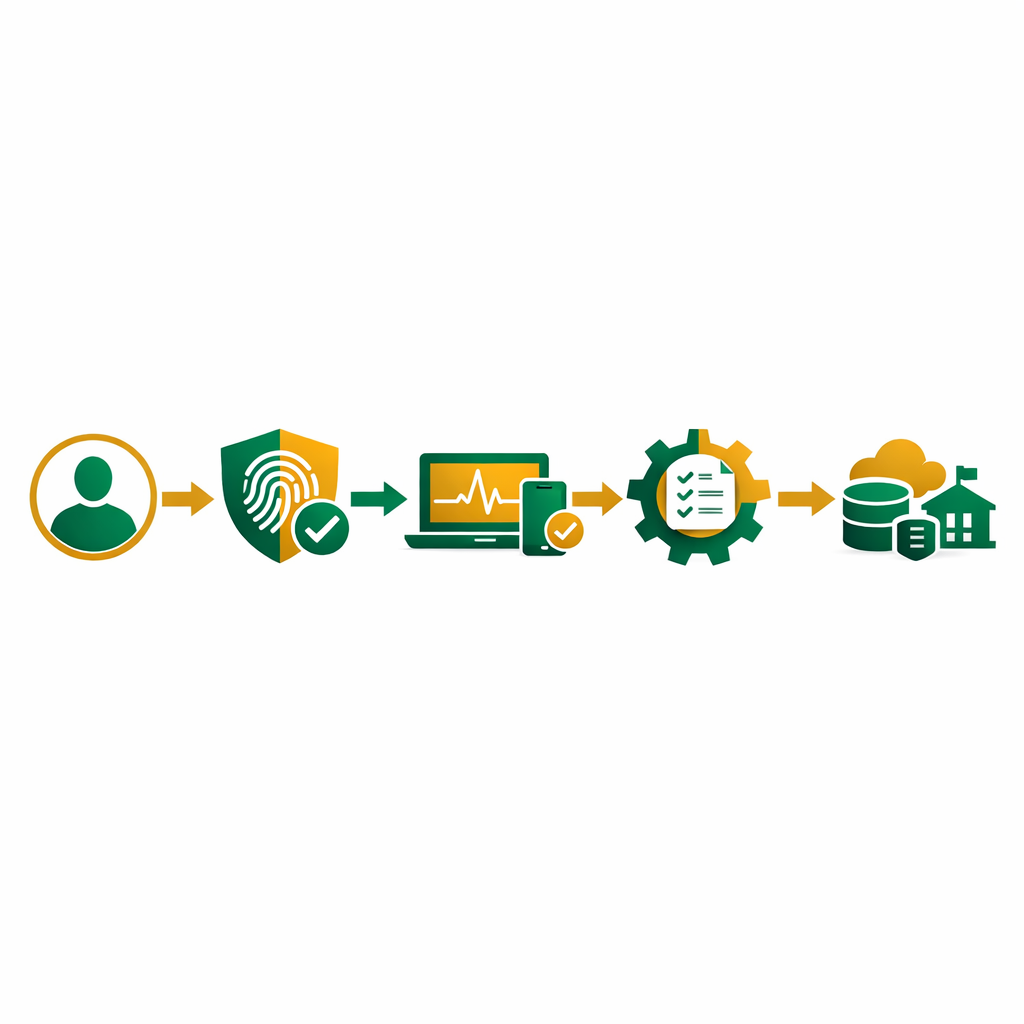
Zero Trust Access Flow
1. Basically, User asks for access to App-X
2. Identity check: Who are you? (MFA + login)
3. Device check: Is your laptop updated? Is antivirus on?
4. Context check: Where are you? What time is it?
5. Of course, Policy engine decides: ALLOW with limits / DENY
6. Session stays watched — access cut if risk goes up
Keep in mind that this check runs for every request — not just the first login. If a device fails a health scan mid-session, access gets cut right away. That’s what “always verify” means in real life.
Also, in practice, big tech firms already use this model. Google’s BeyondCorp killed the corporate VPN entirely. Similarly, Microsoft’s Zero Trust guide walks you through setup in Azure. These aren’t future plans — they’re live in production today.
What Are the Key Differences Between Zero Trust and Traditional Security?
Here’s a quick side-by-side so you can spot the main differences:
| Feature | Traditional Security | Zero Trust Security |
|---|---|---|
| Default Stance | Assumes internal users are safe | Verifies everyone — no exceptions |
| Access Control | Broad access after login | Least privilege per resource |
| Verification | Once at the perimeter | Continuous — every request |
| Network Design | Flat network, one perimeter | Micro-segmented zones |
| Breach Response | Detect after damage spreads | Contain per zone right away |
| Remote Work | Needs VPN tunnels | Works natively — any location |
Key Concept: Zero trust doesn’t mean “trust nothing forever.” Instead, it means verify first, then give the bare minimum access. After that, keep checking the whole session. In summary, the goal is earned trust — not blind trust.
Common Zero Trust Security Mistakes to Avoid
Many teams start their zero trust path with good intent. However, they often trip on these common errors. Here’s what to watch out for:
Thinking It’s a Single Product
Zero trust is a strategy, not a box you buy. So, After all, no single vendor gives you “full zero trust.” Instead, you need identity tools, network zones, endpoint checks, and monitoring all working together.
Ignoring Legacy Systems
Older apps often can’t handle modern login methods. Skipping them creates blind spots. Yet, To fix this, wrap those old systems with proxy layers that enforce zero trust rules on their behalf.
Making MFA Optional
MFA is the base of identity checks. In fact, allowing it to remain optional defeats the whole point. Therefore, enforce MFA on every account — especially admin and privileged ones.
Skipping Network Segmentation
Clearly, Without micro-segments, a hacked device can still reach everything. For example, even basic zone splits — like separating dev, staging, and production — cut the blast radius by a huge margin.
No Continuous Monitoring
Checking identity once and then forgetting about it isn’t zero trust. Instead, you need real-time tools that watch each session and cut access the moment something looks off.
How Do You Start with Zero Trust Security Today?
You don’t need a huge budget to begin. Here’s a step-by-step path that works for students and IT pros alike:
1
Map your key assets.
First, find out what data and systems matter most. In other words, this is where you focus first. Rather than locking down everything at once, start with your most sensitive files and apps.
2
Turn on MFA everywhere.
Notably, this one step blocks most credential attacks. According to Microsoft, MFA stops over 99.9% of account hacks. It’s the fastest win you’ll get.
3
Cut extra access rights.
Next, audit who has access to what. Remove admin rights people don’t need. Then, use role-based access control (RBAC) to set permissions by job role — not by habit.
4
Split your network into zones.
To begin, start simple: keep dev, test, and production apart. Next, Over time, add finer segments using tools like Azure NSGs or AWS Security Groups.
5
Watch and improve.
After that, set up logging and monitoring tools. Thus, Review access logs often. Use the NIST SP 800-207 framework as your guide — it’s free and widely trusted.
Beyond that, Gartner’s 2026 trends report names zero trust as a top strategy this year. What this means is — learning zero trust security now puts you ahead of most IT pros still catching up.
Why Zero Trust Security Matters for Your Career?
Zero trust security isn’t just a buzzword. It shows up on nearly every major IT exam in 2026 — from CEH v13 to Azure AZ-104 to AWS Solutions Architect. As a result, employers actively seek pros who get identity-based security, micro-segments, and always-on checks.
To give you an idea, the Chrome zero-day we covered earlier this year proved why perimeter defenses fail. Naturally, Hackers used a browser bug that skipped every firewall. However, companies with zero trust controls — like device checks and session scans — stopped the damage fast.
Here’s what I tell beginners: don’t wait until you pass a cert to learn zero trust. Begin today. To begin with, set up MFA on every account you own. Plus, Study how IAM works in AWS and Azure. Then, build a home lab with network zones. Ultimately, these hands-on skills stand out on any resume.
Frequently Asked Questions
What is Zero Trust security in simple terms?
Zero Trust is a cybersecurity model based on the principle of “never trust, always verify.” In other words, it requires every user, device, and application to be authenticated and authorized before accessing any resource, regardless of whether they are inside or outside the network.
Why is Zero Trust important in 2026?
Importantly, this model is critical because traditional perimeter-based security fails against modern threats like remote work vulnerabilities, cloud attacks, and insider threats. Consequently, it reduces the blast radius of breaches by enforcing strict access controls at every level.
What is micro-segmentation in Zero Trust?
Micro-segmentation divides a network into small, isolated zones where each segment has its own access controls. As a result, this prevents lateral movement by attackers, so even if one segment is compromised, the rest of the network remains protected.
How do I implement Zero Trust as a beginner?
First, start by enforcing multi-factor authentication, applying least privilege access, and segmenting your network. Then gradually adopt identity-aware proxies, continuous monitoring, and device trust verification as your maturity grows.
Is Zero Trust the same as a VPN?
No, Zero Trust and VPNs are fundamentally different. A VPN grants broad network access once connected, while Zero Trust verifies every request individually and grants access only to specific resources on a per-session basis.
Want to Learn More About Cybersecurity?
Explore our cybersecurity articles covering zero trust security, IAM, network defense, and more. Practical guides by Bhanu Prakash, built for beginners and working professionals.
More Articles on Cybersecurity
Official Resources
- NIST SP 800-207 — Zero Trust Architecture
- Microsoft Zero Trust Deployment Guide
- Google BeyondCorp — Zero Trust Framework